How to Remove a Photo Background on iPhone, Offline (No Upload)
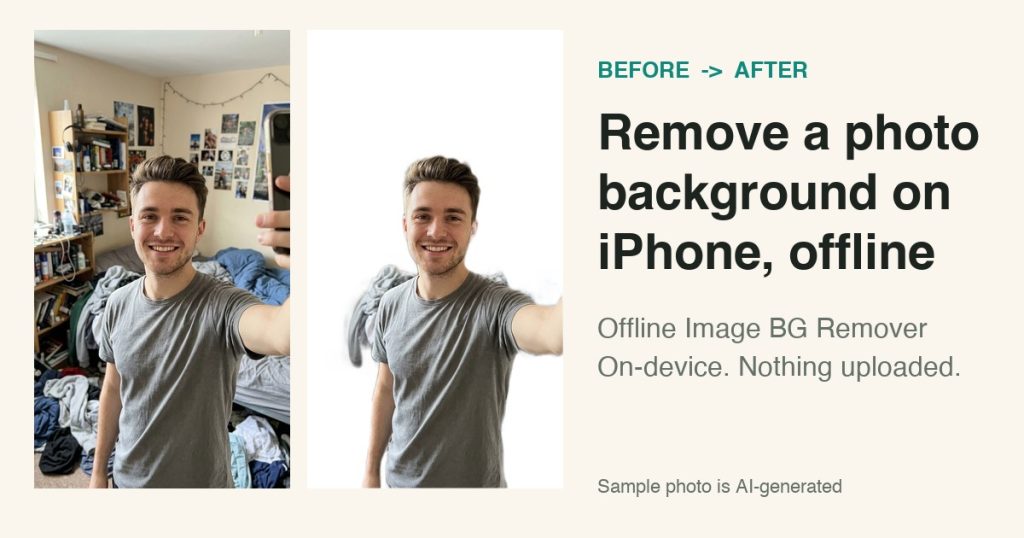
You took a good photo in a bad room. The subject is fine, the background is a mess of shelves, laundry and posters. This guide shows how to cut the subject out on your iPhone with Offline Image BG Remover, without uploading the photo anywhere.
The sample photo below is AI-generated. The app screens are the real app, recorded in the iPhone simulator, and the cut-out is the app’s actual export.
What you need
- An iPhone or iPad running iOS 17 or later
- Offline Image BG Remover from the App Store
- One photo with a clear main subject
Step 1: Pick your photo
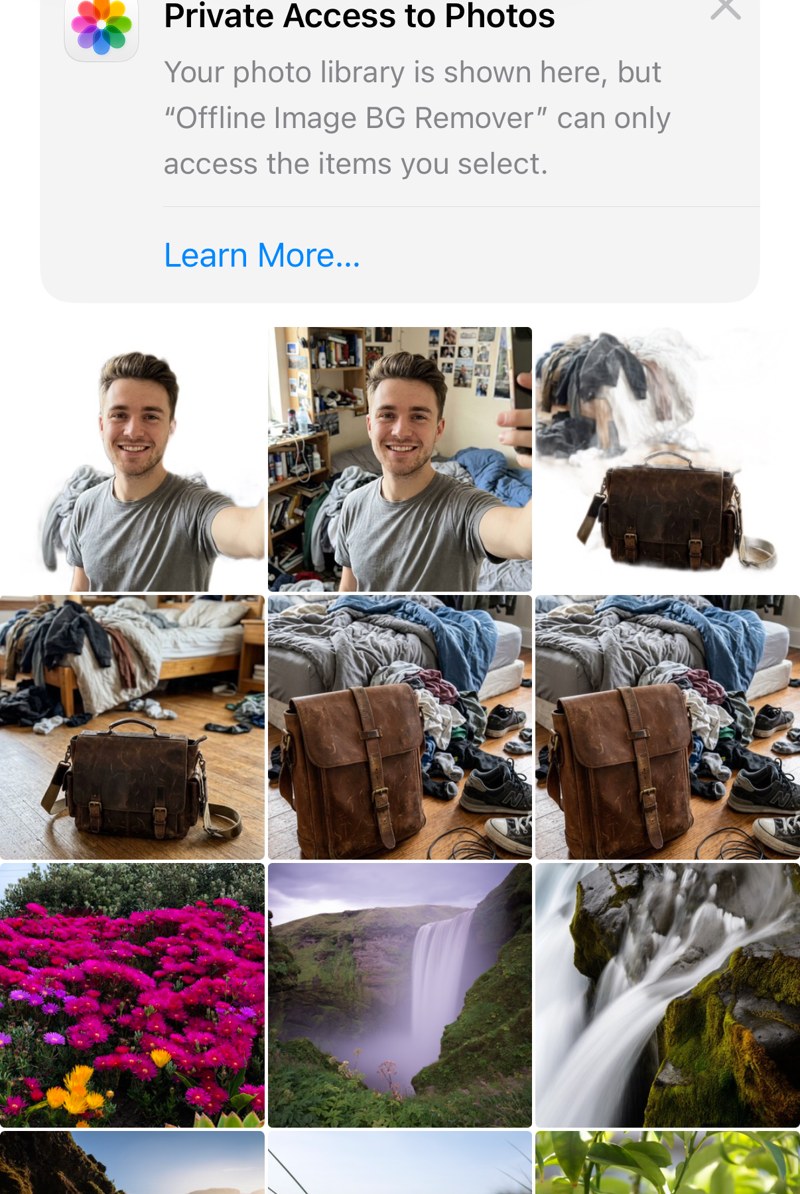
Open the app and tap Photos. You can also import from Files or take a photo with the camera. Choose the picture you want to clean up.
Step 2: Choose a background and tap Remove Background
Under Background, pick transparent, white, black or a custom colour. White works well for profile pictures and product listings. Choose PNG if you want to keep transparency, or JPEG for a smaller file, then tap Remove Background.
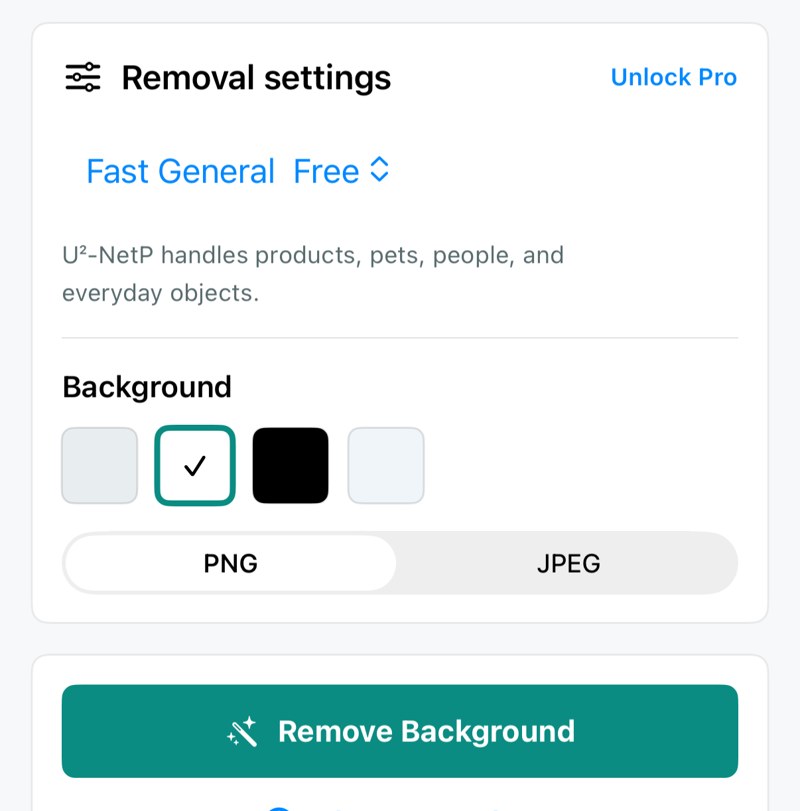
Step 3: Compare before and after
The result opens in a before-and-after view so you can check the outline right away. Save it to Photos or share it from the same screen.
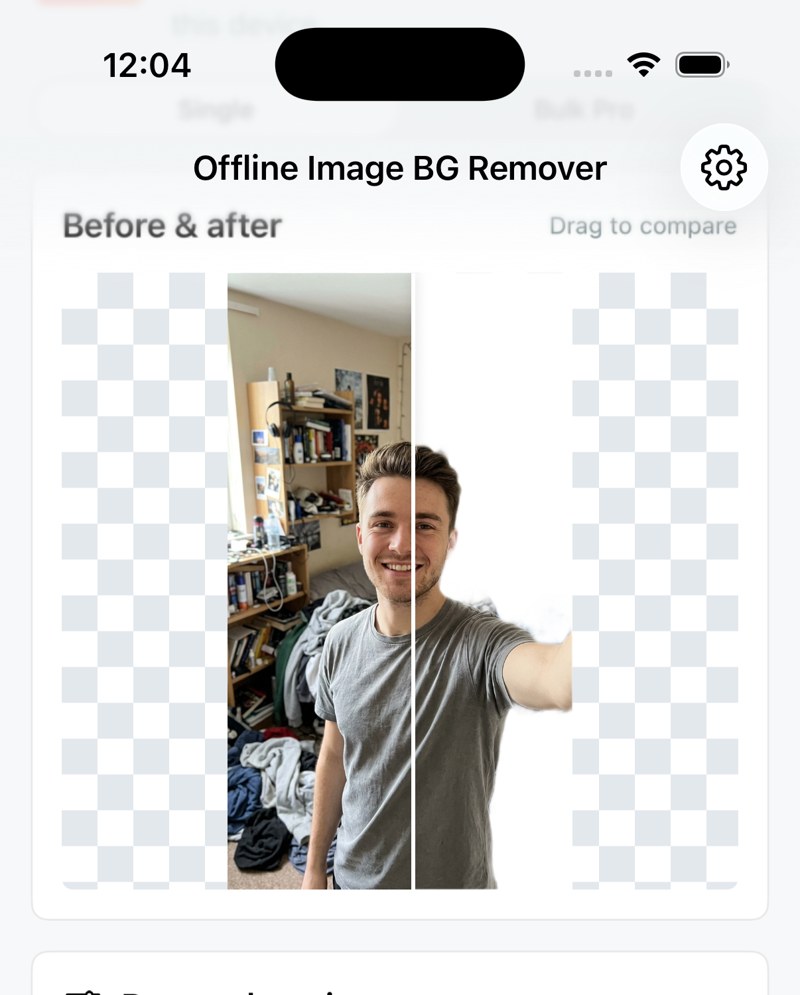
Before and after
Same photo, only the background changed.


Get cleaner edges
- Use a photo where the subject is not touching clutter.
- Good, even light helps the edge around hair and shoulders.
- Zoom in on the edges after saving and retry with a different photo if something is left behind.
What to expect
Background removal is not perfect. In our sample a small piece of grey cloth next to the shoulder stayed in the cut-out, because it sat right against the subject. Hair, hands and objects near the person can leave traces, so always check the edges before you use the image.
Everything runs on your device. There are no accounts, ads or image uploads. The free plan includes ten cut-outs per day, and Pro adds unlimited use, bulk queues and extra edge controls.
Where it helps
- Profile pictures with a plain background
- Product photos for marketplace listings
- Cut-outs for slides, posters and stickers
Get it here: Offline Image BG Remover on the App Store.

Writes guides and product notes for Bytesweavers.