Toll Booth Stimulator Beginner Guide: Check Licenses and Clear Your First Shift
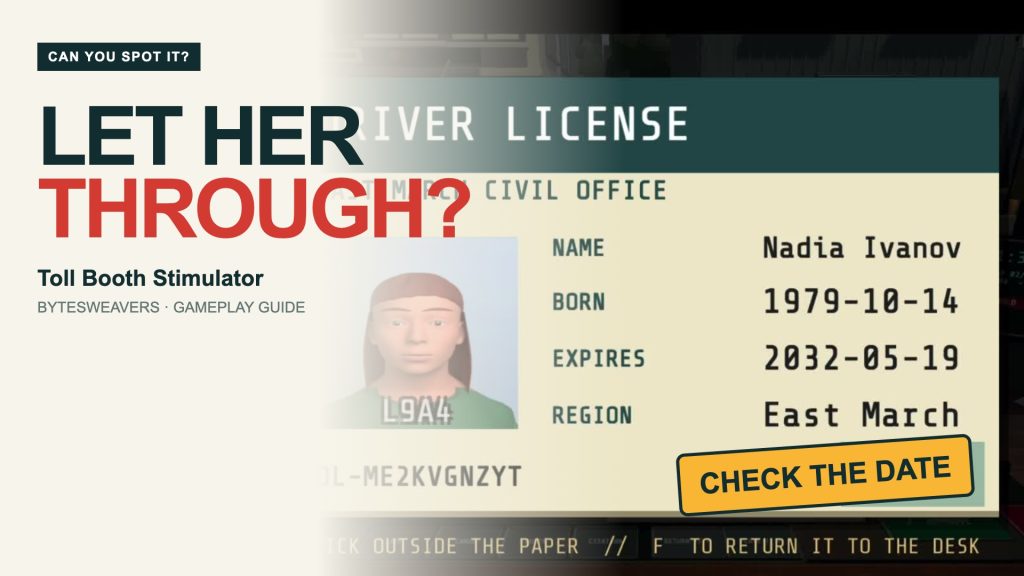
A driver hands you a license. It looks official. The photograph is there, the name is printed, and the car is waiting. Would you let them through? In Toll Booth Stimulator, the useful question is simpler: does this driver satisfy the rules that are active right now?
This guide follows a real first-shift playthrough of Bytesweavers’ checkpoint game. Start with license expiry, see both decisions in action, and learn what changes when portrait matching arrives.
Developer disclosure: we make this game. Screenshots and video are recorded from its native desktop build. The promoted download is the Android version on Google Play; this is not an Android touch-control or device-performance test. The game contains ads.
1. Read the active rule before the first car
The first level introduces license expiry. Compare the EXPIRES field with the date inside the game, rather than today’s real-world date. Our recorded first shift uses 2035-01-01.
The rulebook is your checklist. Other documents can already be visible, but later checks arrive as you progress. Learn the current rule carefully before trying to process the queue faster.
2. A valid date: approve the driver
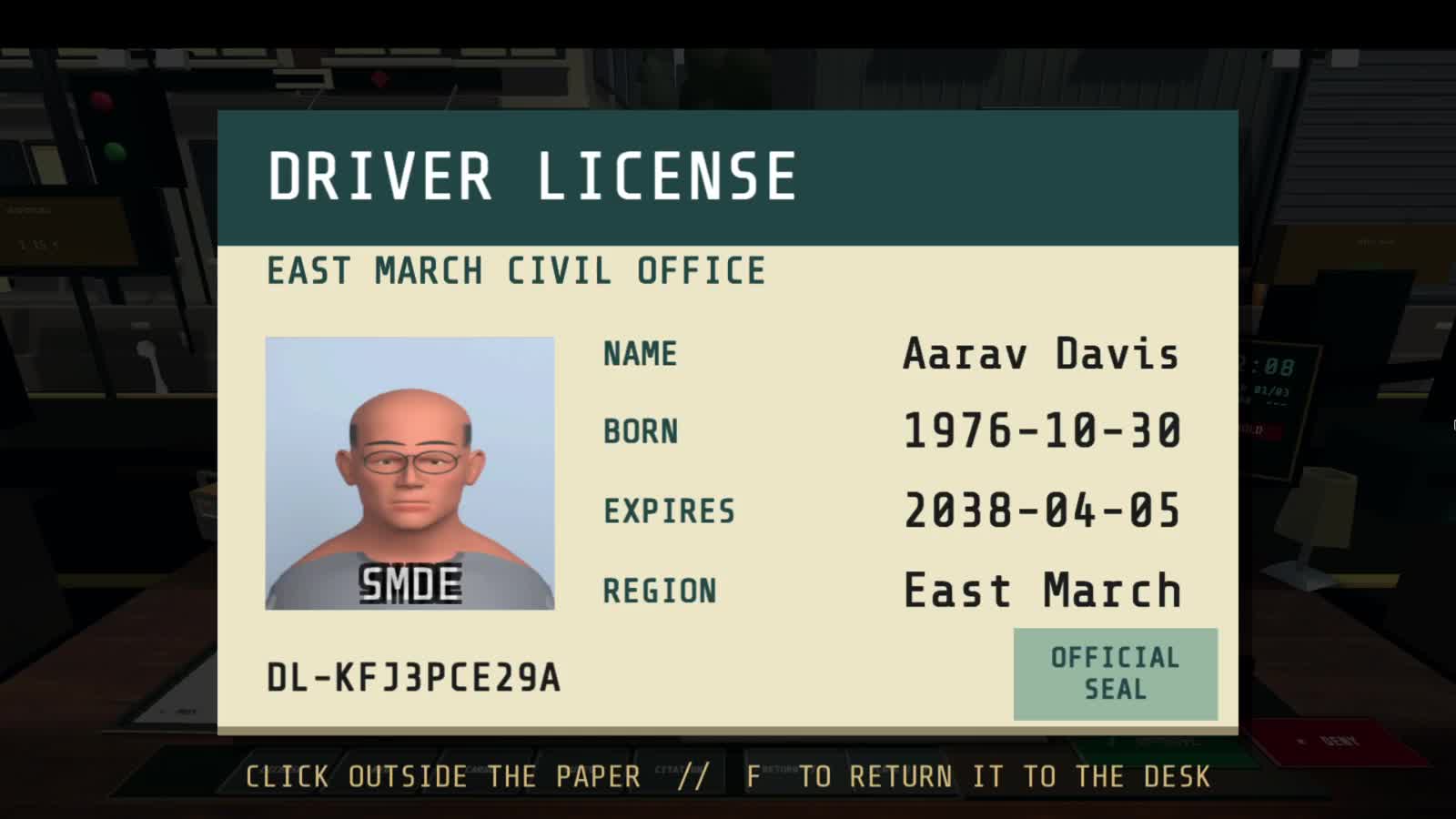
In the valid example, Aarav Davis has a license expiry of 2038-04-05. That is after 2035-01-01, so the license passes the first shift’s expiry rule. The approval is followed by the actual stamp, an entry-cleared message, and the vehicle leaving the checkpoint.
A repeatable routine helps: open the paper, locate the field the rule asks about, compare it with the game’s reference information, then decide.
3. Your turn: what is wrong with this license?
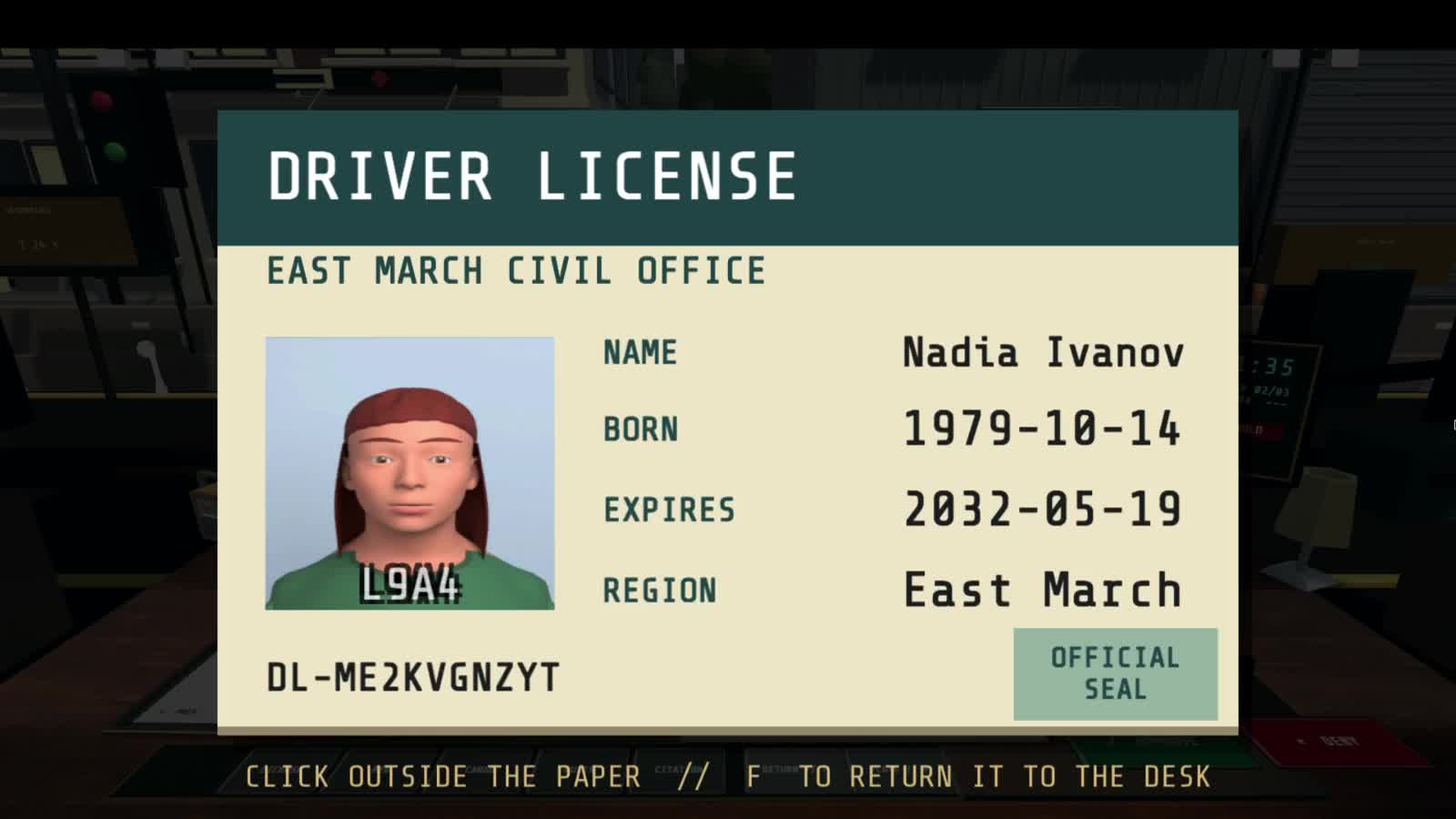
Nadia Ivanov’s license expires on 2032-05-19. The current game date is still 2035-01-01. The license has already expired, so the correct decision is deny entry.
The official-looking layout is deliberately not enough to settle the case. You need the information on the paper. Pause the video before the reveal if you want to make the decision yourself.
4. Verify what happens after the stamp
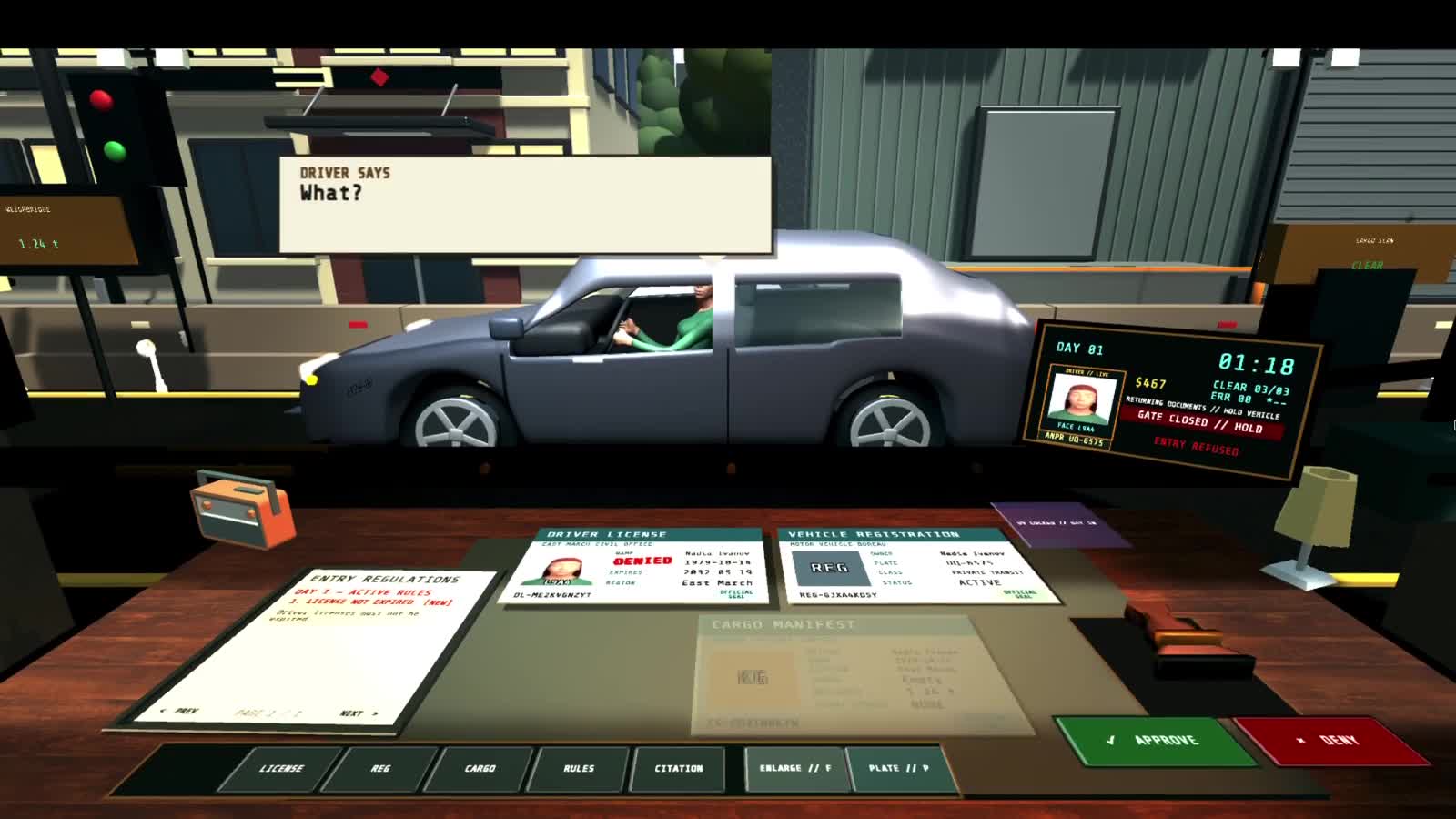
The decision has a visible consequence. In this case, the denied stamp appears on the license, the terminal says ENTRY REFUSED, and the car backs away. These are recorded gameplay outcomes, not a replacement animation or a fictional result.
Use that feedback to check your reasoning. Getting a car out of the queue is not the same as making the right call.
5. What cleared our first shift?
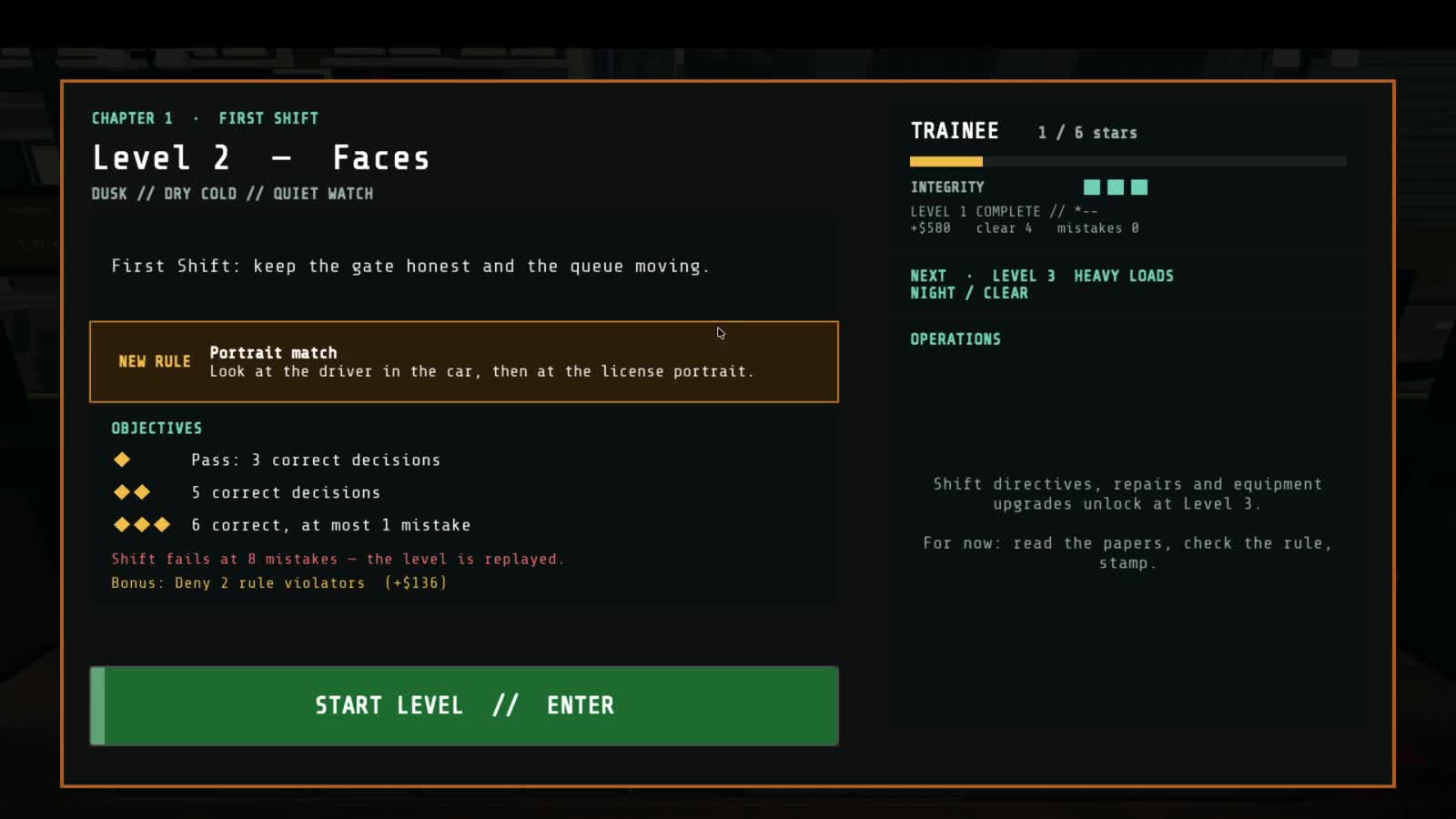
The recorded run cleared the first level with four correct decisions and zero mistakes. The visible next-level board shows higher star thresholds at five and six correct decisions. Passing a level and earning every star are different targets.
Work on a dependable inspection rhythm first. Once you can find the relevant evidence quickly, improve the pace while preserving accuracy.
6. Day two adds portrait matching
The next shift introduces a new rule: the license portrait must match the driver. A date that is still valid no longer settles the whole case. Compare the person at the window with the photograph, while continuing to check the earlier expiry rule.
The official game description also covers registrations, plates, cargo, inspection tools, and equipment management as progression becomes more complex. Those later systems are not shown as newly completed unlocks in this first-shift guide.
Play Toll Booth Stimulator on Android
Find Toll Booth Stimulator by Bytesweavers on Google Play. Check the listing for current device compatibility and availability.
Did you spot the expired date before the reveal? Try explaining your decision using just two pieces of evidence: the license expiry and the game’s current date.

Writes guides and product notes for Bytesweavers.