How to Audit a YouTube Channel Before Planning the Next 10 Videos
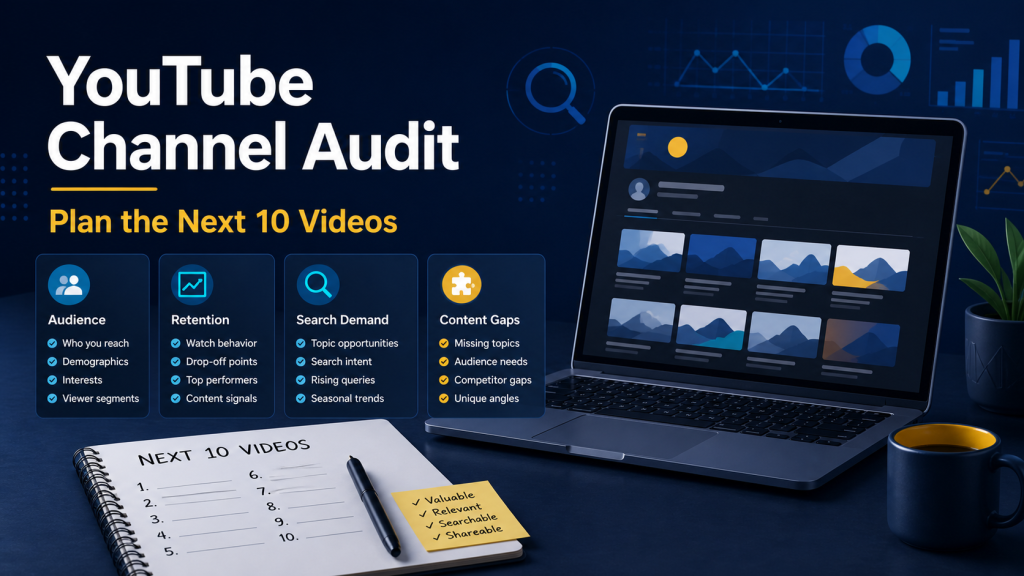
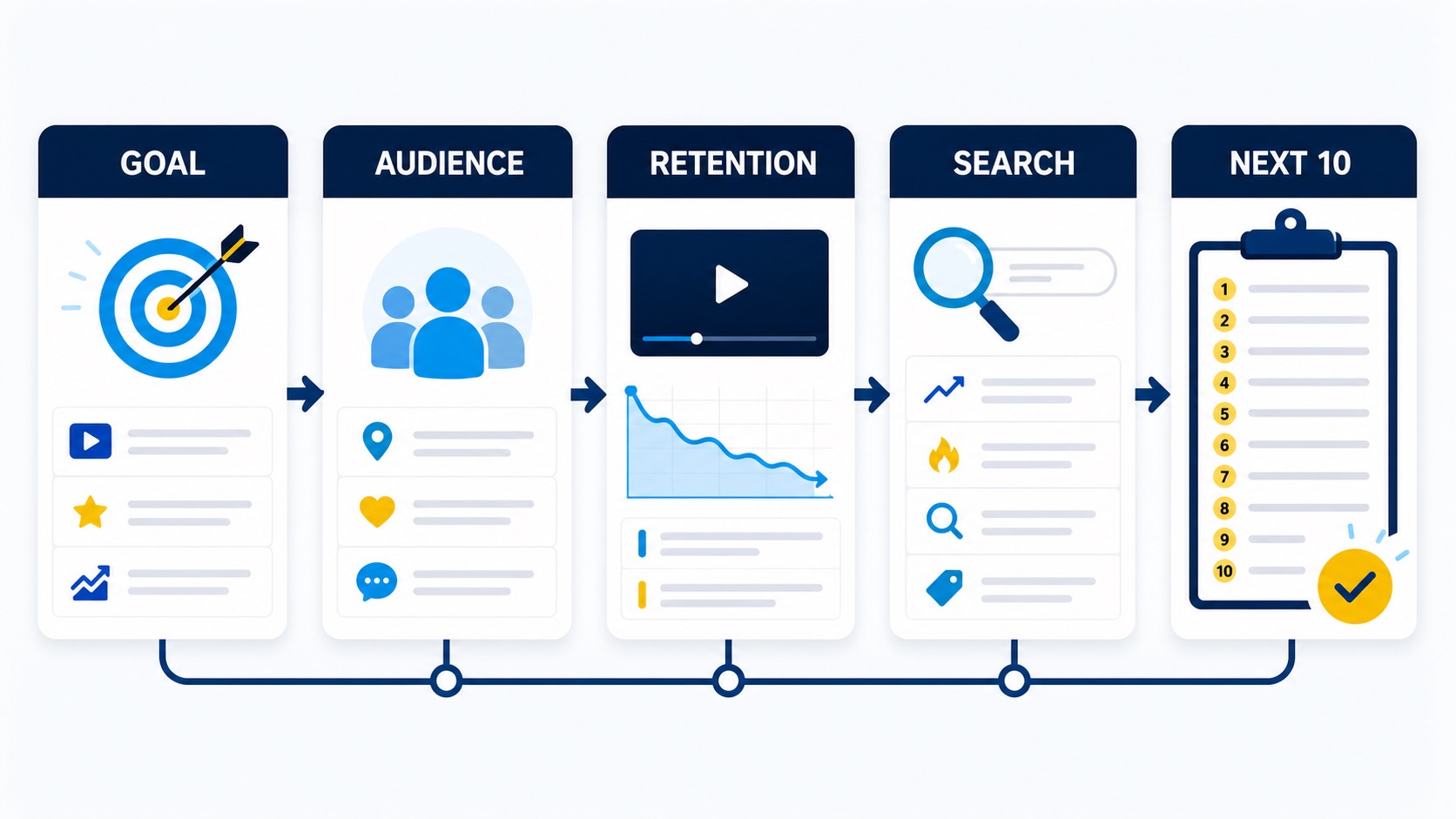
Planning your next ten YouTube videos from a blank page is slow. A channel audit gives you a smaller, more useful starting point: what your channel is meant to do, who watches it, where viewers stop watching, what people are searching for, and which useful questions you have not answered yet.
This is not a request to copy a competitor or chase every trend. The goal is to turn the evidence you already have into a short list of videos that fit your audience and your production capacity.
Start with the channel goal
Write one sentence before opening a dashboard. For example: “This channel helps small teams run private AI and automation tools.” A clear sentence makes the rest of the audit easier. A topic can have search demand and still be wrong for your audience.
Then note the job of the next ten videos. Are they meant to answer beginner questions, support an existing product, build trust with technical users, or test a new audience? Pick one primary job. Mixing four goals into one list usually produces ten unrelated ideas.
Review the audience you actually reach
Look at recent viewers by geography, language, age range, returning status, and the videos that brought them in. Treat these as clues, not a definition of who you must serve forever. Compare them with the audience you want to reach.
Write down three practical observations:
- Which viewer problem appears most often?
- Which videos attract the right kind of viewer, even if they are not the biggest?
- Which topics bring attention but no useful follow-up?
Use retention to find the real lesson
Views tell you that a video was chosen. Retention helps explain whether the video kept its promise. Check the opening, the first major drop, and the sections that hold attention. A sharp drop after a long introduction may mean the answer starts too late. A drop at a technical step may mean the explanation needs a clearer example.
Do not turn one graph into a universal rule. Compare several videos with a similar format and length. Note what viewers stayed for, then use that pattern when you outline the next batch.
Check search demand and content gaps
Search suggestions, comments, support questions, and related queries can reveal language your audience already uses. Group similar phrases into one topic instead of making a separate video for every wording.
A content gap is more useful when it is specific. “AI tools” is too broad. “How to run a local transcription workflow without uploading a meeting recording” is a real question with a clear audience and outcome. Add the missing angle, the likely viewer, and the result the video should provide.
Score ideas before you schedule them
Make a simple table with one row per idea. Use a small, consistent score such as low, medium, or high for audience fit, evidence of demand, production effort, and usefulness. Add a note for the main proof you have: a recurring question, a retention pattern, a search phrase, or a gap in your existing library.
| Question | What to record |
|---|---|
| Who is it for? | A specific viewer and their current problem |
| Why now? | Search language, comments, support requests, or a timely need |
| What will they get? | A decision, workflow, result, or skill they can use |
| Can we make it well? | Source material, expertise, time, and a realistic format |
| What comes next? | A related video that forms a useful sequence |
Build a balanced ten-video plan
Rank the ideas, then look for repetition. Ten videos about the same narrow feature may be easy to title but hard to sustain. Mix formats that serve the same audience: a beginner guide, a comparison, a troubleshooting video, a workflow demonstration, and a deeper explanation.
Keep a few ideas that are easy to produce. They give you room to respond to questions without breaking the whole calendar. Also leave space for one or two experiments, but label them as experiments so a weak result does not distort the rest of the plan.
Review the plan as a viewer
Read the ten titles in order. Can a new viewer understand who the channel helps? Do the videos answer real questions? Does each title promise a different useful outcome? Remove anything that exists only because it sounds clever.
Repeat the audit after the ten videos have enough data to compare. The point is not to predict perfectly. It is to replace random planning with a clear loop: observe, choose, publish, learn, and improve.
If you want a structured way to inspect channel signals and turn gaps into a content plan, see the Bytesweavers AI YouTube Analyzer Pro. Use the workflow above to decide which findings deserve a video before you add them to your calendar.

Writes guides and product notes for Bytesweavers.