Why Your Shorts Captions Disappear Under the UI (and How to Fix It)

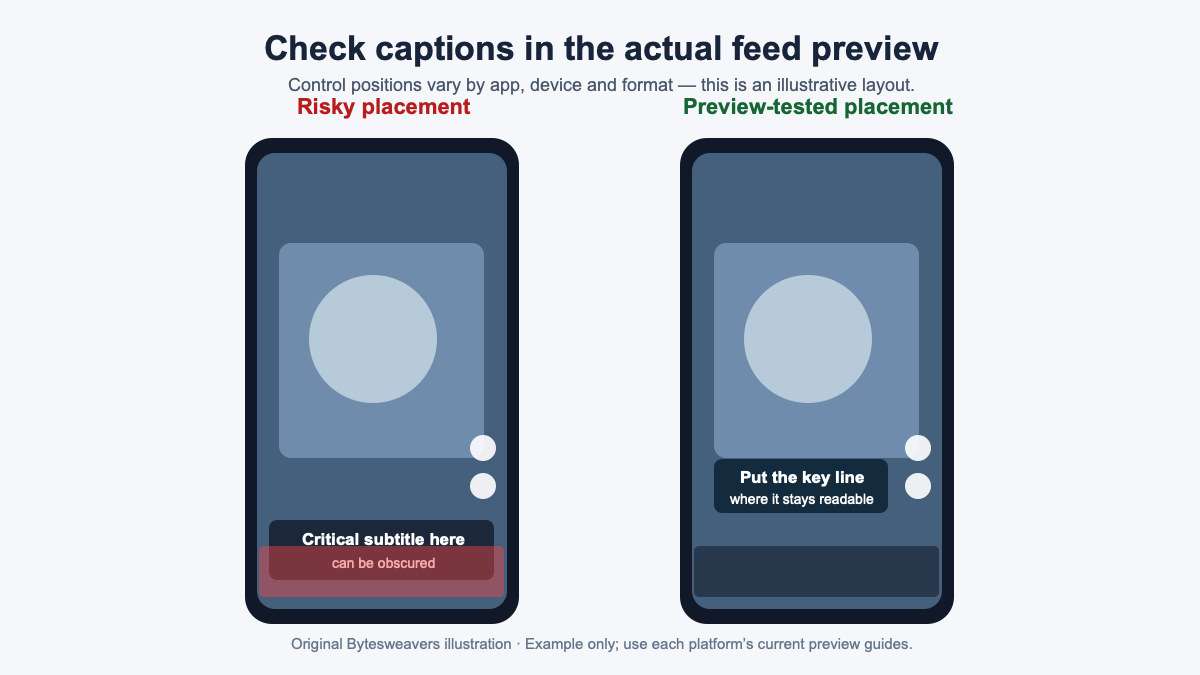
You finish a vertical video, watch the export on your computer, and the captions look fine. Then you open the post on a phone. The final line sits behind the account name or bottom controls, and the right edge competes with the like and share buttons. The video file is not broken; the viewing surface changed.
This guide is for burned-in subtitles, labels, and calls to action in Shorts and Reels. It is a practical preview workflow, not a universal pixel template. App layouts change, and the same file can be cropped or overlaid differently on YouTube, Instagram, and Facebook.
First, separate two kinds of captions
Burned-in text is part of the video image. It gives you control over typography, but you must place it around each platform’s controls. Platform captions are an optional text track or automatically generated subtitles. Viewers may turn them on, and the platform decides much of their display. Use both when appropriate, but do not assume the platform’s automatic transcript is accurate.
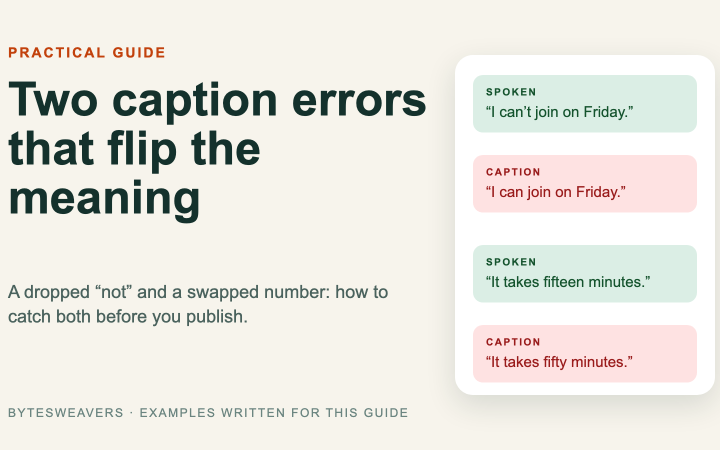
YouTube specifically recommends reviewing automatic captions because speech recognition can mishear accents, names, background audio, and overlapping speakers. That matters even more in a Hindi–English product demo with technical words. YouTube’s caption guidance explains how to review and edit the track.
The part most creators forget: preview the feed, not only the editor
- Export one short test. Use the same vertical framing and caption style as the final video. You do not need to publish it publicly to inspect the composer preview.
- Open each destination’s upload preview. Scrub the first hook, a dense middle line, and the final call to action. Check where account information, buttons, and description overlays appear.
- Move the essential words inward. Leave breathing room near the edges and bottom. Avoid a single long caption stretching into the right-side action controls. Re-export and repeat the check.
- Read it at phone size. If a line is technically visible but too small to read at normal speed, it still fails. Shorter lines and a high-contrast backing often help more than a heavier font.
- Check the transcript separately. Watch without sound and review proper nouns, numbers, and bilingual phrases. Correct the platform-generated caption track where the destination allows it.
Use each platform’s own visual guide
When you position text in the YouTube Shorts editor, its visual guides indicate where viewer controls or edge clipping may interfere. YouTube says animated lines can mark non-safe edges and icons can appear where a viewer control may overlap the text. See YouTube’s current Shorts editor guidance.
Meta likewise advises keeping key Reels messages in its safe zone and provides a safe-zone checker for Reels ad creatives. The exact overlay is best checked in the current composer for the account and placement you are using. See Meta’s Reels creative guidance. Neither source makes one permanent pixel margin a substitute for a real preview.
A five-minute release check
- Can you read the hook without sound on a phone?
- Are any words hidden by profile details, the description, or action buttons?
- Does the last caption stay on screen long enough to read?
- Are technical terms and names correct in the platform caption track?
- Did you inspect YouTube and Meta separately instead of assuming one preview covers both?
If one check fails, revise that scene. A strong hook cannot help if the viewer never sees its final words.

Writes guides and product notes for Bytesweavers.