How to Plan a Week of Meals with AI on iPhone: A Hands-On Test of My Diet Plan AI
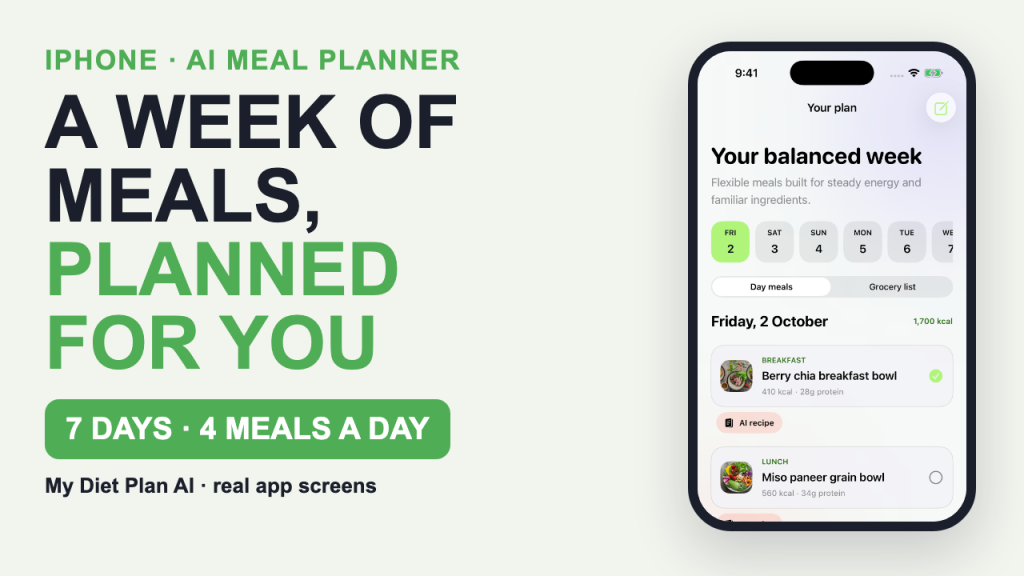
Planning a week of meals usually fails at the same point: the plan looks great on Sunday and falls apart by Wednesday lunch. I wanted to see how an iPhone app built around that exact problem, My Diet Plan AI, handles it. I tested it with the app’s own sample profile (a made-up user called Alex), so everything below is sample data, not a real person’s meals. Full disclosure: Bytesweavers makes this app.
If you would rather watch than read, the full walkthrough is on YouTube: How to Plan a Week of Meals with AI on iPhone.
What I wanted to find out
- Does the home screen answer “what do I eat today?” in a few seconds?
- Does a 7-day plan come with a grocery list, or just a list of meals?
- What happens when a real meal does not match the plan?
- What does the app do with the data you type into the AI features?
The Today tab: one screen for the day
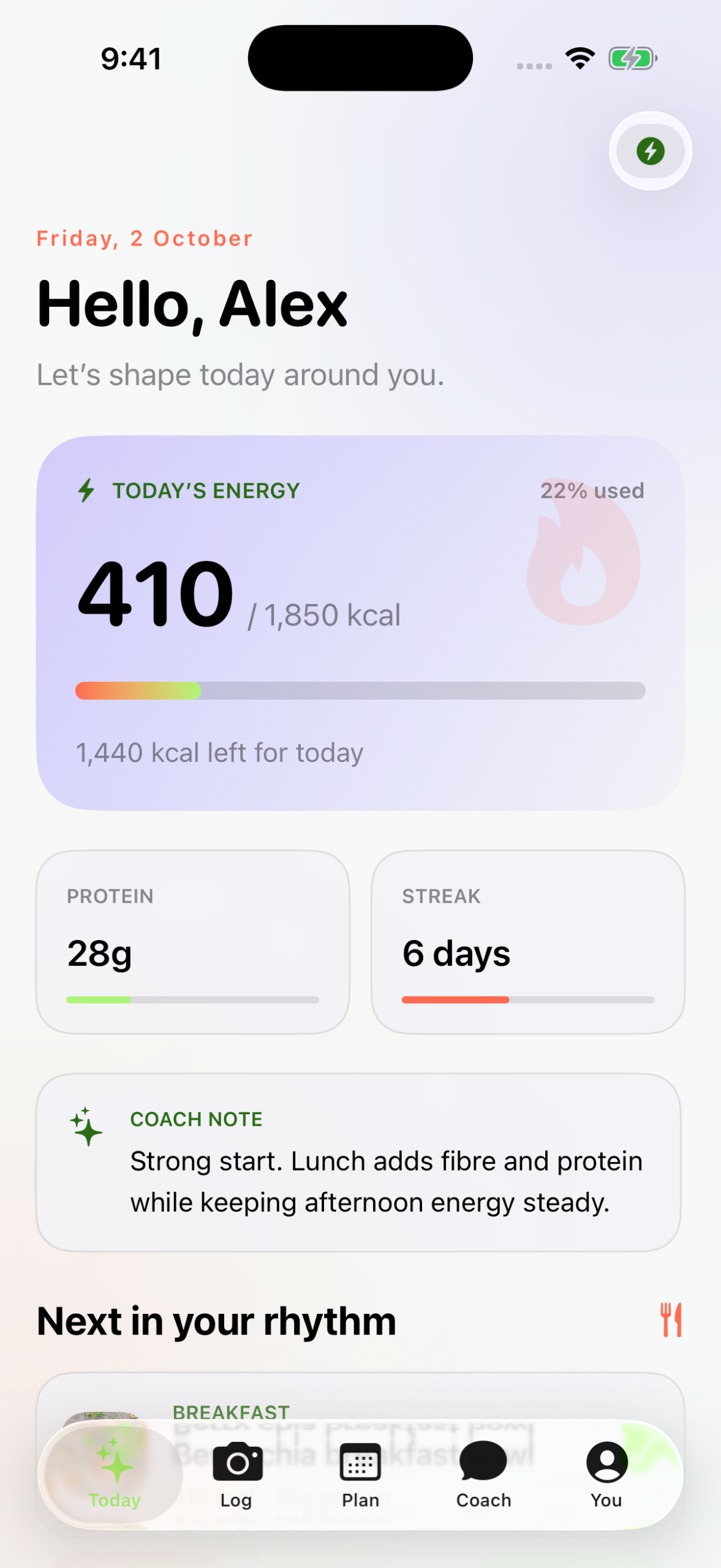
The first screen shows today’s energy budget (410 of 1,850 kcal used in the sample), protein so far (28 g), a streak counter, and a short coach note. The idea is that you open the app and immediately see how much room is left, without digging through menus.
The Plan tab: seven days and a grocery list
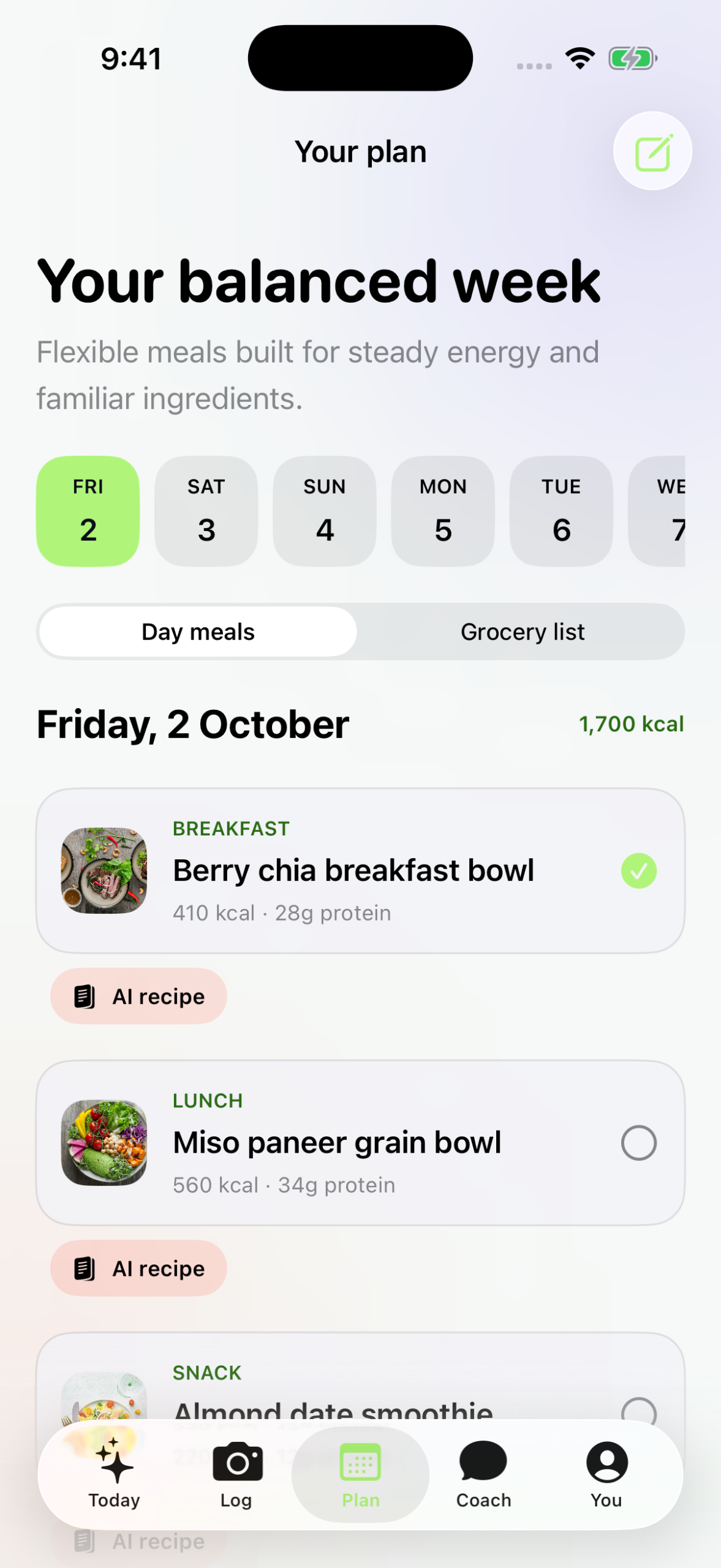
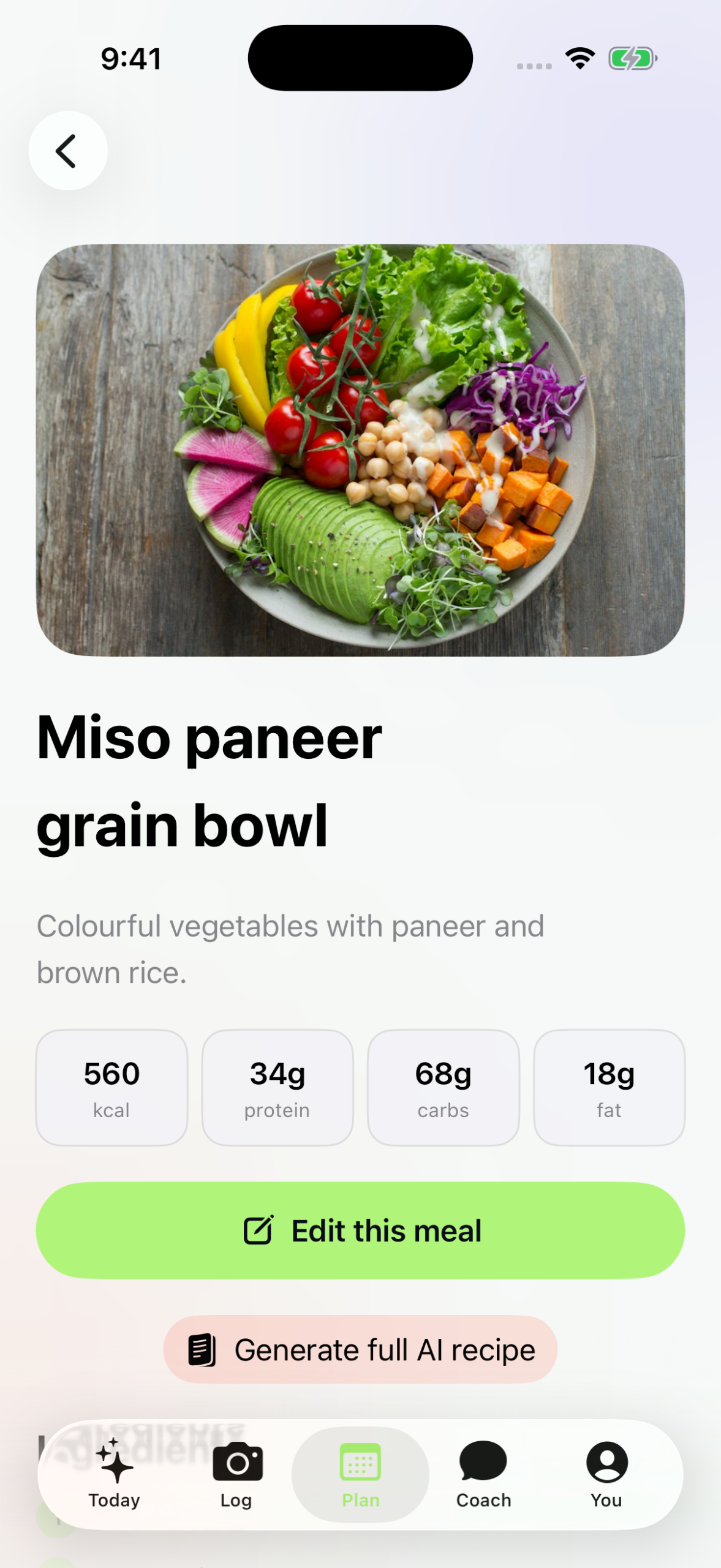
The Plan tab lays out the week and lets you switch between a day view and a grocery list. For the sample day (Friday, 2 October, about 1,700 kcal) the app suggested a berry chia breakfast bowl, a miso paneer grain bowl for lunch and an almond date smoothie as a snack. Having the grocery list one tap away is the part that saves real time, because it turns the plan into a shopping trip.
Meal detail: what a tap tells you
Tapping a meal opens its detail view with calories, protein and the ingredients. This is where you decide whether the plan is realistic for you, so it is worth checking a couple of meals before trusting the whole week.
When life changes the plan: the coach
This was the most interesting part of the test. In the sample, a lunch came in heavier than planned at 610 kcal with 42 g of protein, and the app flagged it as off-plan. Instead of leaving the day broken, the coach adjusted dinner, swapping smoky lentil tacos for a lemon herb tofu bowl, and explained what changed and why. That rebalancing step is what separates a planner from a static list.

What happens to your data
The AI features send selected data, such as your preferences, your active plan and your chat messages, to third-party providers through OpenRouter. The app asks for permission first, and you can decline and still build and edit plans yourself. If that matters to you, read the consent screen before you type anything personal.
Limits of this test
- Everything shown is the app’s sample profile, not a long-term personal result.
- I did not measure nutrition accuracy or how the plan holds up over weeks.
- This is a planning tool, not medical or dietetic advice. If you have a medical condition, talk to a qualified professional.
- The app is iPhone only.
Quick facts
| App | My Diet Plan AI |
| Platform | iPhone (App Store) |
| Tested with | Built-in sample profile |
| AI data handling | Selected data sent via OpenRouter after permission |
| Test date | 2 October 2026 |
Try it
My Diet Plan AI is on the App Store: My Diet Plan AI. More apps from the same team are at bytesweavers.tech.

Writes guides and product notes for Bytesweavers.