How to Check If a Black Friday Deal Is Real (Price History in 2 Minutes)
Why the red price tag tells you almost nothing
Every storefront wants a discount story. A crossed-out price, a “50% off” badge and a countdown timer can all be true and still mean nothing, because a discount only matters next to the price the same item actually sells at.
So before you tap Buy this Black Friday, spend two minutes on one number: the price history. It is the difference between a deal and a normal price wearing a costume.
The two-minute check
- Find the exact listing. Not the model name, the product page you are about to buy from. Same seller, same variant, same capacity.
- Open a price history tool. Free options cover most listings – Keepa and CamelCamelCamel for Amazon, and similar trackers for other stores.
- Read three things: the lowest price in the last year, how often the item has dropped to today’s price, and where the line sat for most of the year.
- Check the date. A chart ending in a spike is telling you the “sale” started when the price went up.
What one real listing shows
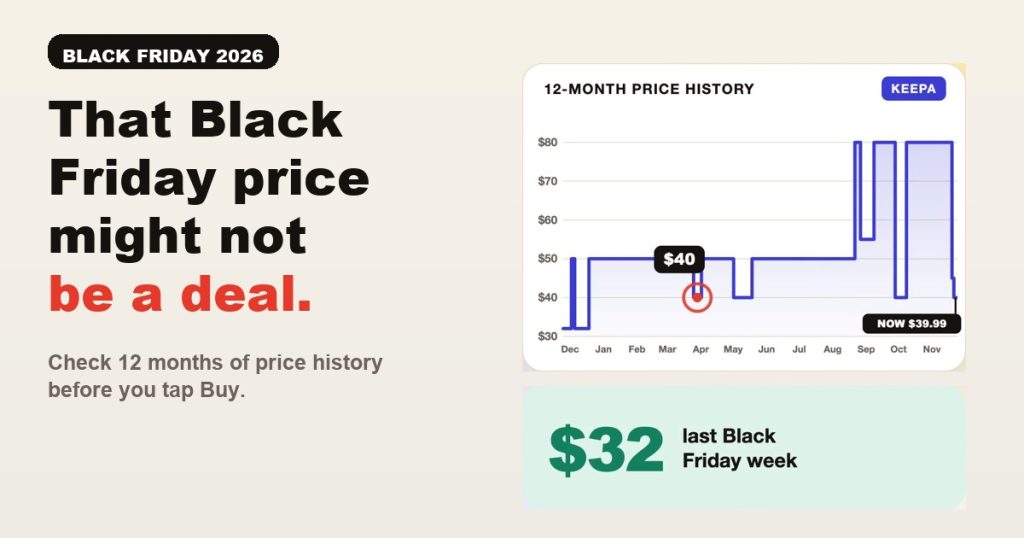
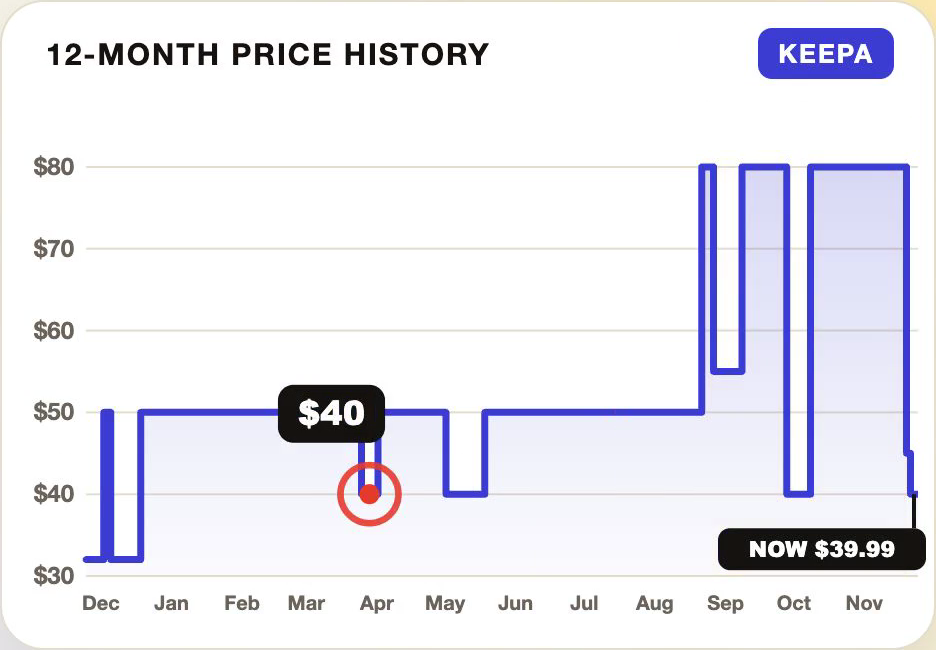
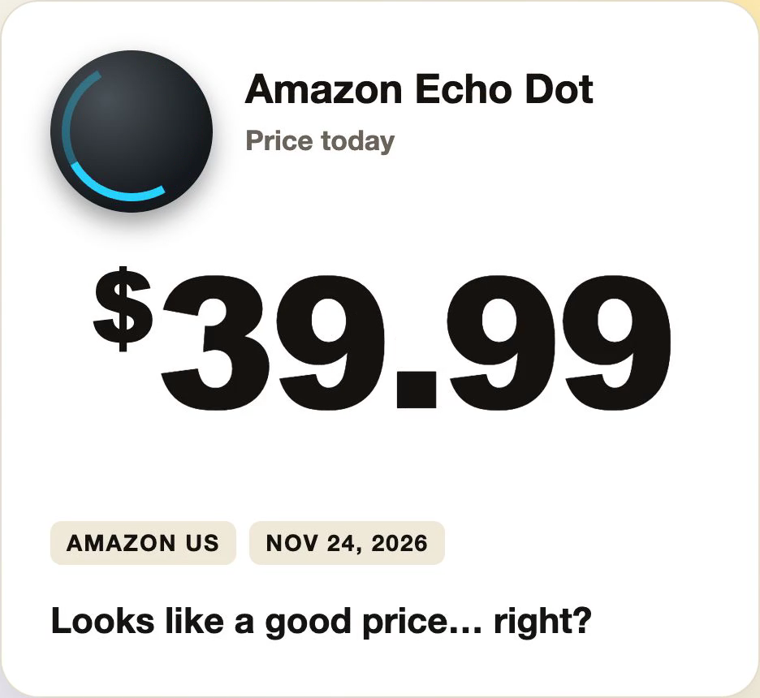
Take a common Black Friday product: an Amazon Echo Dot. Today it sits at $39.99, which looks like a strong discount against the $80 it sold for through most of the autumn.
But the 12-month chart tells a different story. The same listing has already been at $39.99 three times this year: in late March, in early May, and again through the first week of October. And during Black Friday week last year, it sold for $32.
That does not make $39.99 a bad price. It makes it an ordinary one. The only thing genuinely unusual about it is the $80 reference price the shop is comparing against.
Buy, wait or skip
A simple scorecard keeps the decision short:
- Buy when today’s price is at or below the 12-month low, or within a few percent of it, and you actually need the item now.
- Wait when the item has hit today’s price several times already and nothing forces you to buy this week. Sale cycles repeat.
- Skip when the chart shows a price rise in the weeks before the sale. The discount was manufactured for the badge.
Two habits that make price history useful
First, save the listings you are considering a week before the sale. A price you wrote down yourself is the most honest reference you will get. Second, ignore “was” pricing on the product page and compare only what you would have paid on a normal Tuesday.
The point is not to win an argument with a shop. It is to stop paying a premium for the word “sale”.
Where this fits in a shopping routine
Price history answers “is this a deal”. It does not answer “is this the right product for my budget”. For that second question we built Cheap Loot Deals, a free Android app that lets you describe what you need and the budget you have, then gives you candidates to check yourself. We still recommend opening the price history before you buy anything from it.
Cheap Loot Deals on Google Play: play.google.com/store/apps/details?id=com.cheaplootdeals
Price data in this article comes from the Keepa chart for that Amazon US listing, read on 24 November 2026. Prices and availability change, so check the live chart before you buy.

Writes guides and product notes for Bytesweavers.