Can You Run DeepSeek Offline? A Small-Model Test With the Wi-Fi Off
DeepSeek is all over search and social right now, and the first question most people have is simple: can you run it on your own computer with the internet off? Short answer: a small distilled DeepSeek-R1 model can. The full DeepSeek model cannot, because it is far too large for a normal PC. This post shows what I tested, what worked, and where a small model falls short.
What I actually tested
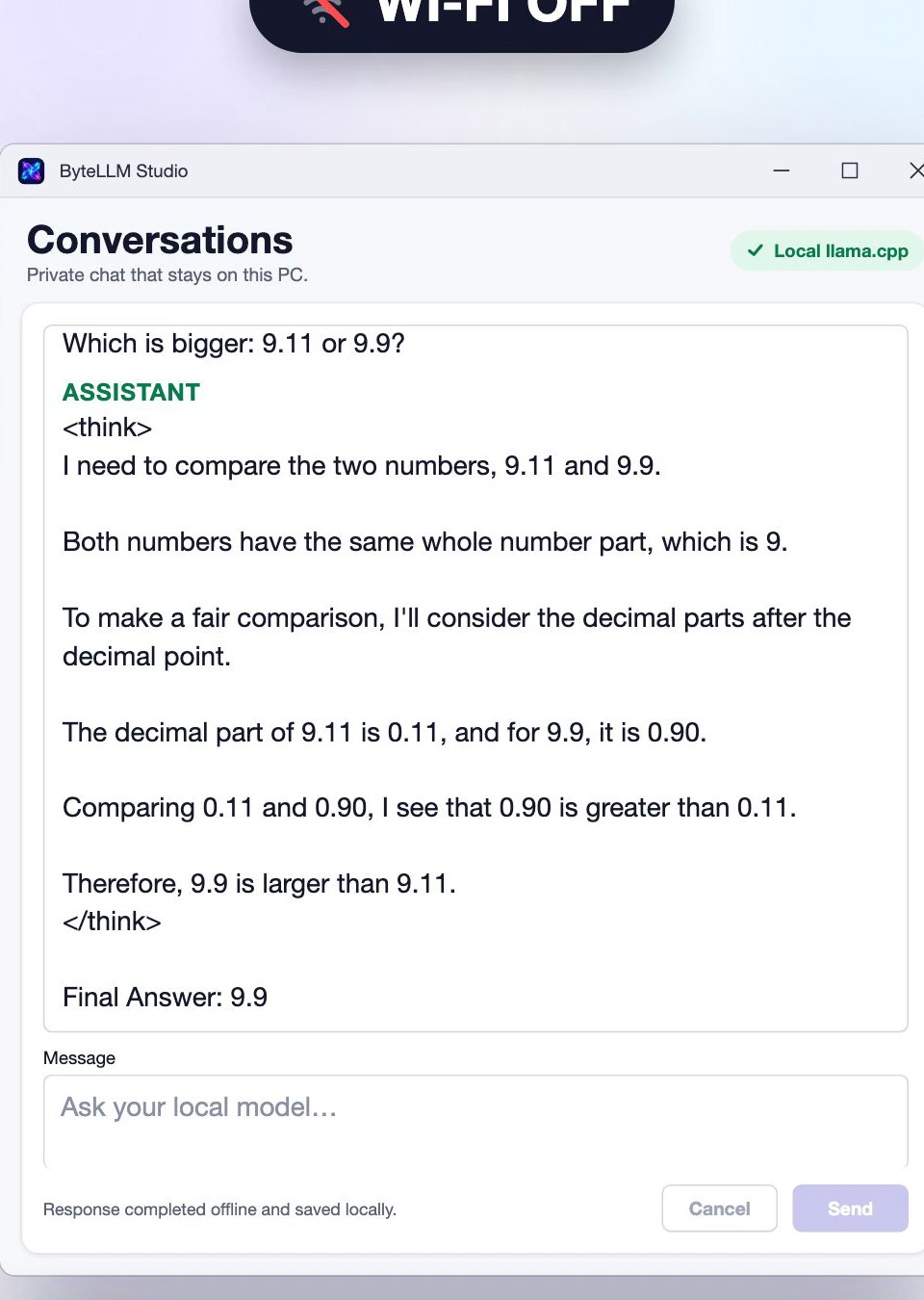
I ran DeepSeek-R1-Distill-Qwen-1.5B locally with Ollama on a Mac, with the Wi-Fi off, and asked a classic trick question: “Which is bigger: 9.11 or 9.9?” The model wrote out its reasoning first (inside a think block), compared the decimal parts (0.11 against 0.90) and answered 9.9. It gave the same answer in 3 out of 3 runs.
It was not perfect. The same model miscounted the letter “r” in “strawberry” in 2 of 3 runs. That is the honest picture of a 1.5-billion-parameter model: good at short, structured reasoning, unreliable at tasks that depend on exact character counting or long chains of facts.
Distilled vs full DeepSeek
- Full DeepSeek-R1 is a very large model that needs server-class hardware. It is not something you run offline on a laptop.
- Distilled models are small models trained to imitate its step-by-step reasoning style. The 1.5B version is a file of about 1.1 GB and runs on an ordinary PC.
- The distilled models are published under the MIT license on the DeepSeek model card. Check the card of the exact file you download.
How to run a DeepSeek GGUF in ByteLLM Studio (Windows)
- Download a GGUF file of DeepSeek-R1-Distill-Qwen-1.5B from Hugging Face. Pick a Q4 version if you have limited RAM.
- Open ByteLLM Studio from the Microsoft Store and go to Chat.
- Open Models and providers and choose Add local GGUF model, then select the downloaded file.
- Switch Wi-Fi off, pick the model, ask your question and press Send.
Honest note: ByteLLM Studio accepts any structurally valid GGUF chat model, and this model uses the same Qwen2 architecture as the app’s starter model. But I tested the DeepSeek output with Ollama on a Mac, not inside the Windows app, so try it once on your own PC before relying on it.
When a small reasoning model is worth it
- Private notes, drafts and simple questions you would rather not send to a server.
- Quick maths and logic checks where seeing the reasoning helps.
- Working offline, on a plane or with a weak connection.
It is not a replacement for large cloud models on long, factual or creative work. Match the model to the job and you will be happier with it.
RAM and speed, roughly
On my Mac the 1.5B model generated about 87 tokens per second. Your PC will differ. As a rough rule from public local-LLM guides, a 1.5B model in 4-bit form is comfortable on 8 GB of RAM, while larger distilled models (7B and up) want 16 GB or more.
Disclosure: I make ByteLLM Studio (Bytesweavers). It is on the Microsoft Store for Windows and free to start. Free includes local chat with up to 5 saved conversations; unlimited history and custom personas need Pro. Watch the short test here: DeepSeek With Wi-Fi OFF? Small Model, Real Test.

Writes guides and product notes for Bytesweavers.