Last-Minute Halloween Costume Ideas Using Clothes You Already Own: A Gemini Prompt to Try
You do not always need a new costume. A few ordinary clothes can be enough for a minimal costume-inspired look—if you can work out how to combine them. An image-capable AI assistant can help brainstorm, but it needs a clear restriction: use what is actually in the photo.
We tested this in Gemini with a fictional, AI-generated wardrobe. The first answer was not particularly good. A follow-up made it more useful. Here is the process, including the part worth checking before you rely on the suggestions.
1. Start with a small, clear wardrobe photo
Lay the clothes and accessories apart so the assistant can identify them. Photograph the whole item, not a sleeve or a shoe hidden under a shirt. Use an uncluttered background and keep private mail, faces, mirrors and identifying details out of the frame.
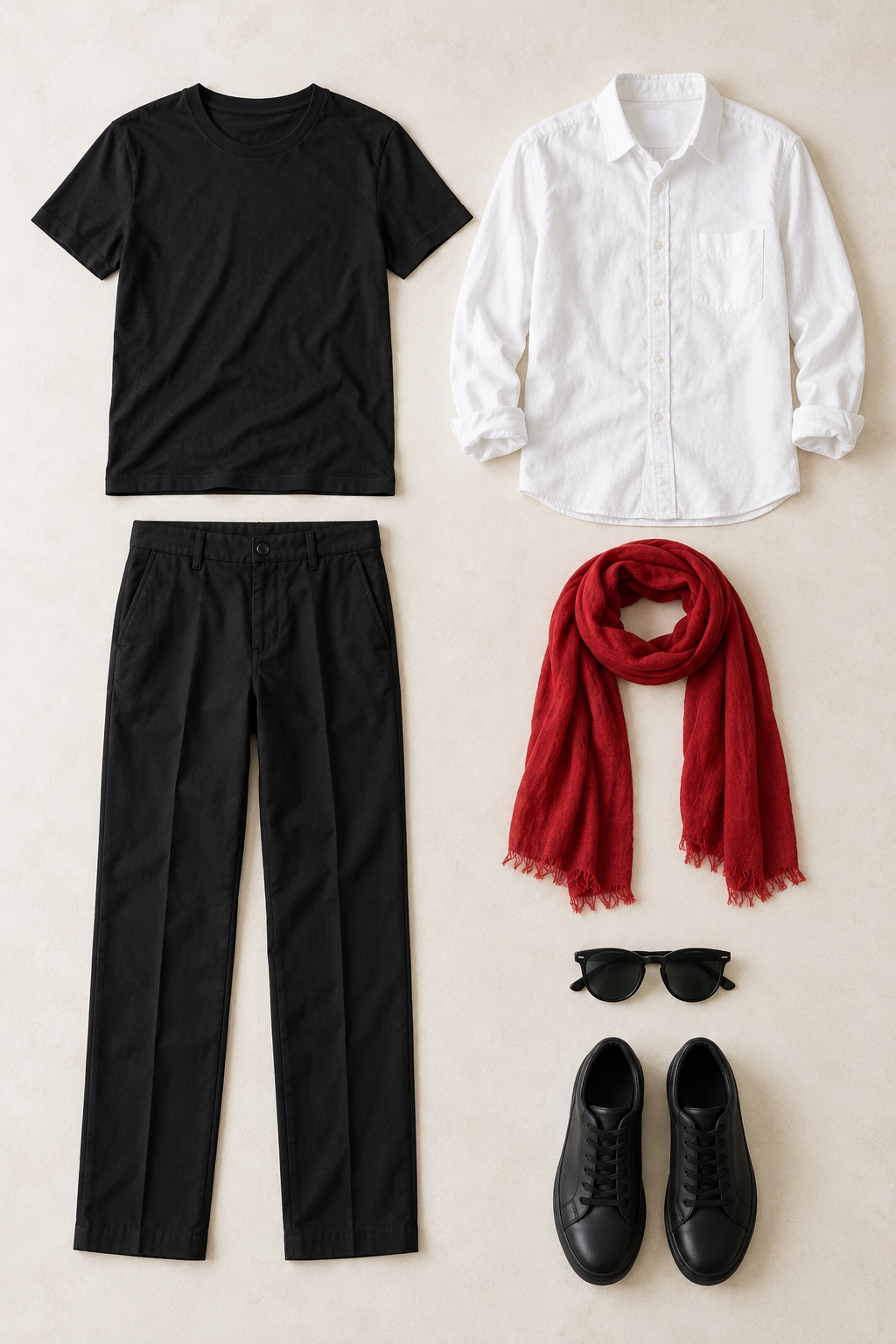
Our sample contained six item groups: a black T-shirt, a white button-down shirt, black trousers, a red scarf, sunglasses and black sneakers. The assistant correctly identified those items. Your results will depend on the photo and what is visible.
2. Make the inventory a hard limit
A vague request for Halloween ideas can turn into a shopping list. Ask the assistant to list the visible inventory first, then restrict its suggestions to that inventory.
Use only the clothes and accessories visible in this photo. List the items first. Suggest three recognizable Halloween costume ideas using only those items. Explain how to style each one. Do not add or buy anything. If something is missing, say so.
Upload only a photo you have permission to use. If you are not comfortable sharing an image with an online service, type an inventory instead and skip the upload.
3. Refine ordinary outfits into costume ideas
Gemini’s first answer suggested a secret agent, a tourist or off-duty pilot, and an artist. The latter two were mostly ordinary outfits. We asked for more recognizable costume-inspired directions while keeping the no-extra-items rule.
These are too ordinary for Halloween. Make the ideas more recognizable, but use the same pictured items. Do not add props, makeup, hats, jewellery or other clothes.
For this sample, we also suggested trying the scarf as a pirate headscarf or a loosely draped vampire-style neck scarf. That refinement mattered: the final three directions did not appear fully formed in the first answer.
4. Check the three minimal looks
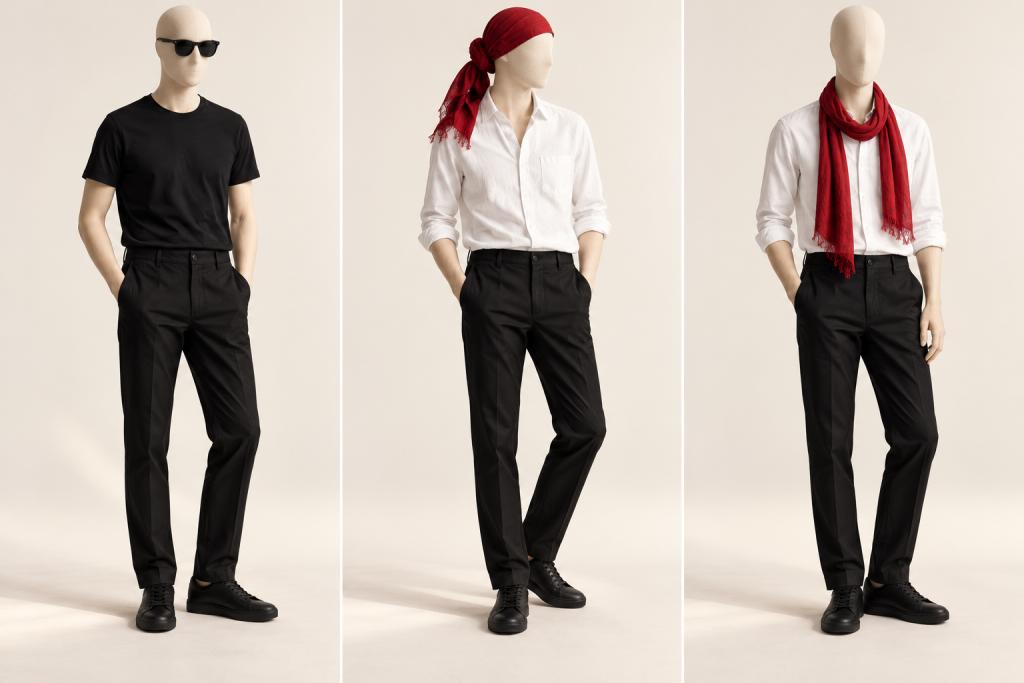
- Secret-agent-inspired: black T-shirt, trousers, sneakers and sunglasses.
- Pirate-inspired: white shirt, trousers and sneakers, with the red scarf used as a headscarf.
- Vampire-inspired: white shirt and trousers with a loosely draped red scarf. No cape, makeup or fangs are included.
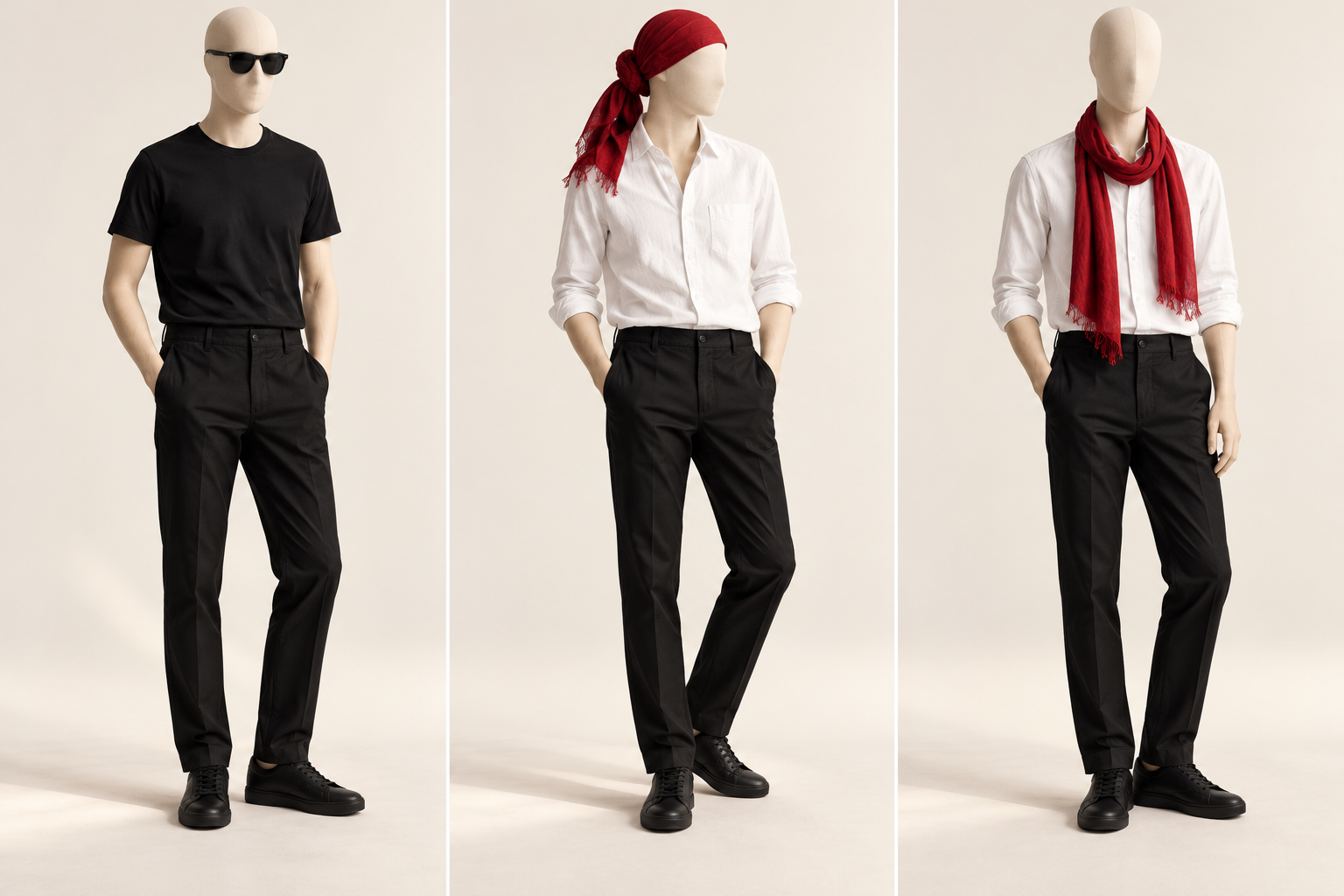
These are deliberately simple interpretations, not elaborate costumes. Check fit, comfort and recognition in a mirror. Keep scarves loose and away from moving equipment. If a suggestion requires an item you do not have, reject or revise it.
The useful part is the constraint, not the promise
AI can overlook an item, invent an accessory or give an ordinary outfit a dramatic name. Check both the inventory and the styling instructions. A visualization can also alter garment details, so it is an idea board—not proof of how your clothes will fit.
The practical workflow is photo or inventory, restricted prompt, refinement, then your own check. Watch the 18-second Bytesweavers walkthrough and save the prompt for your own wardrobe.

Writes guides and product notes for Bytesweavers.