How to Keep the Same AI Character Across Images With a Reference Photo
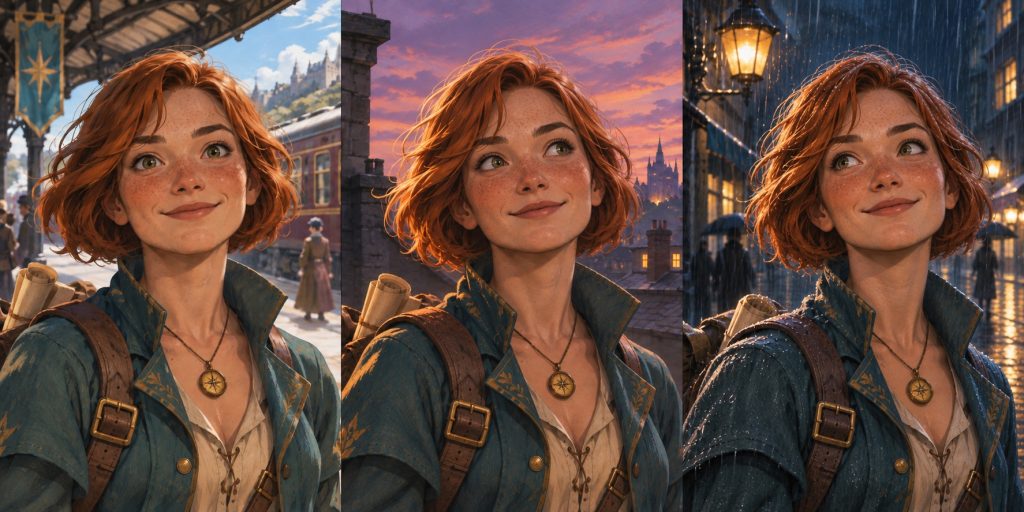
Your first frame has the right face. Then the same character walks onto a rooftop and suddenly has a different haircut, jaw and eyes. Before rewriting the description, try giving your image tool the face you want it to keep.
1. Pick a portrait you can reuse
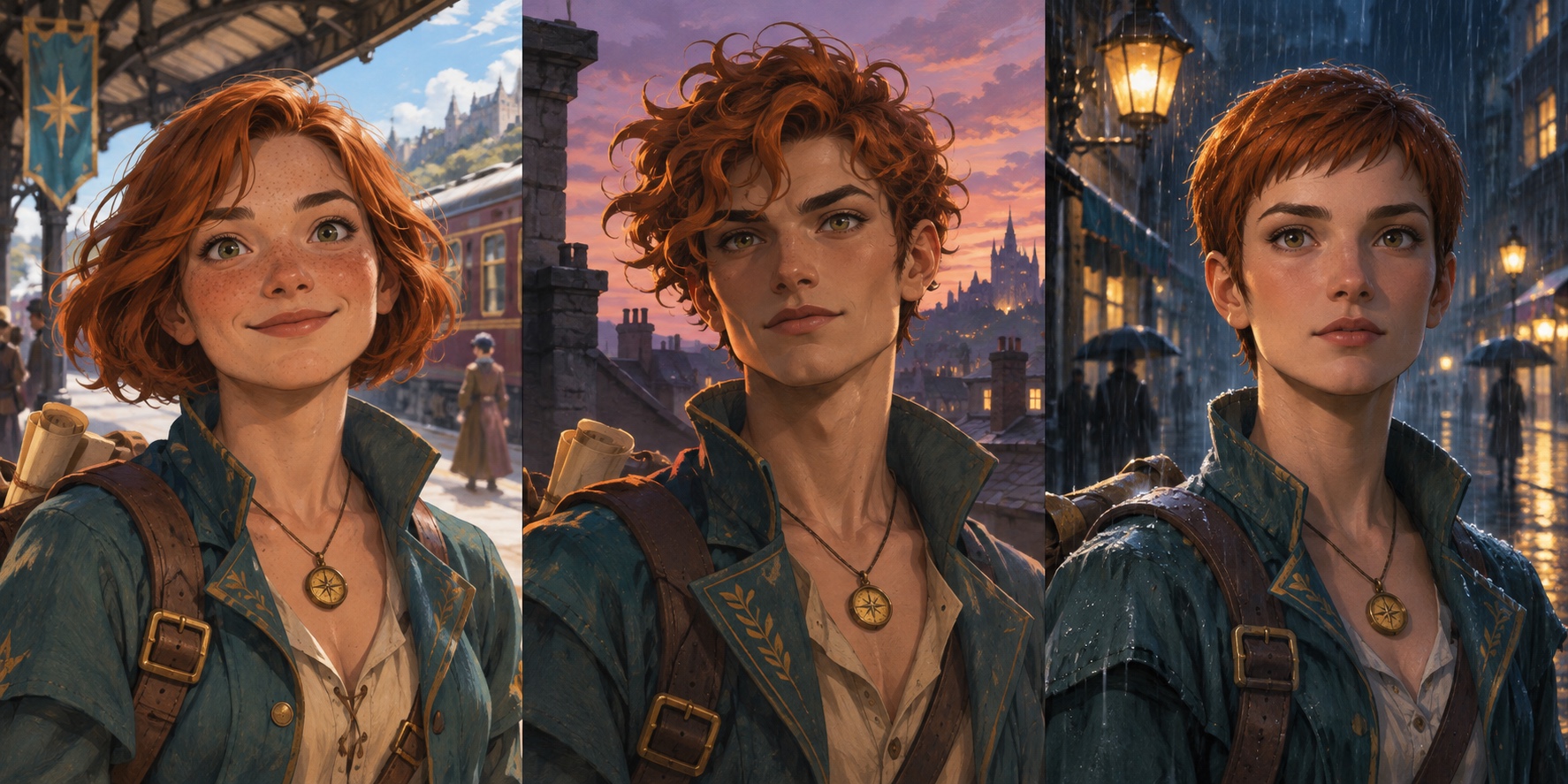
Choose a clear, front or three-quarter view with the eyes and hairline visible. Use a single portrait. If your favorite face lives in a contact sheet, crop it so the tool sees only one candidate. Save that portrait as the master reference for the rest of the project.
2. Tell the tool what to keep and what to change
Attach the portrait in a tool that supports reference images or image editing. Ask for one clear change at first: the location, lighting, or pose. Name the features you want to keep. Try this:
Use the attached portrait as the identity reference. Put this character on a rooftop at dusk. Keep the same face shape, hairline, hairstyle, and freckles. Change the setting and lighting.
3. Check the face before making the next scene
Put the reference beside the new frame and zoom into both. Compare the eyes, hairline, and face shape. If the location looks right but the face has drifted, start again from the original portrait and simplify the request. Avoid making the next scene from a frame that already lost the face.
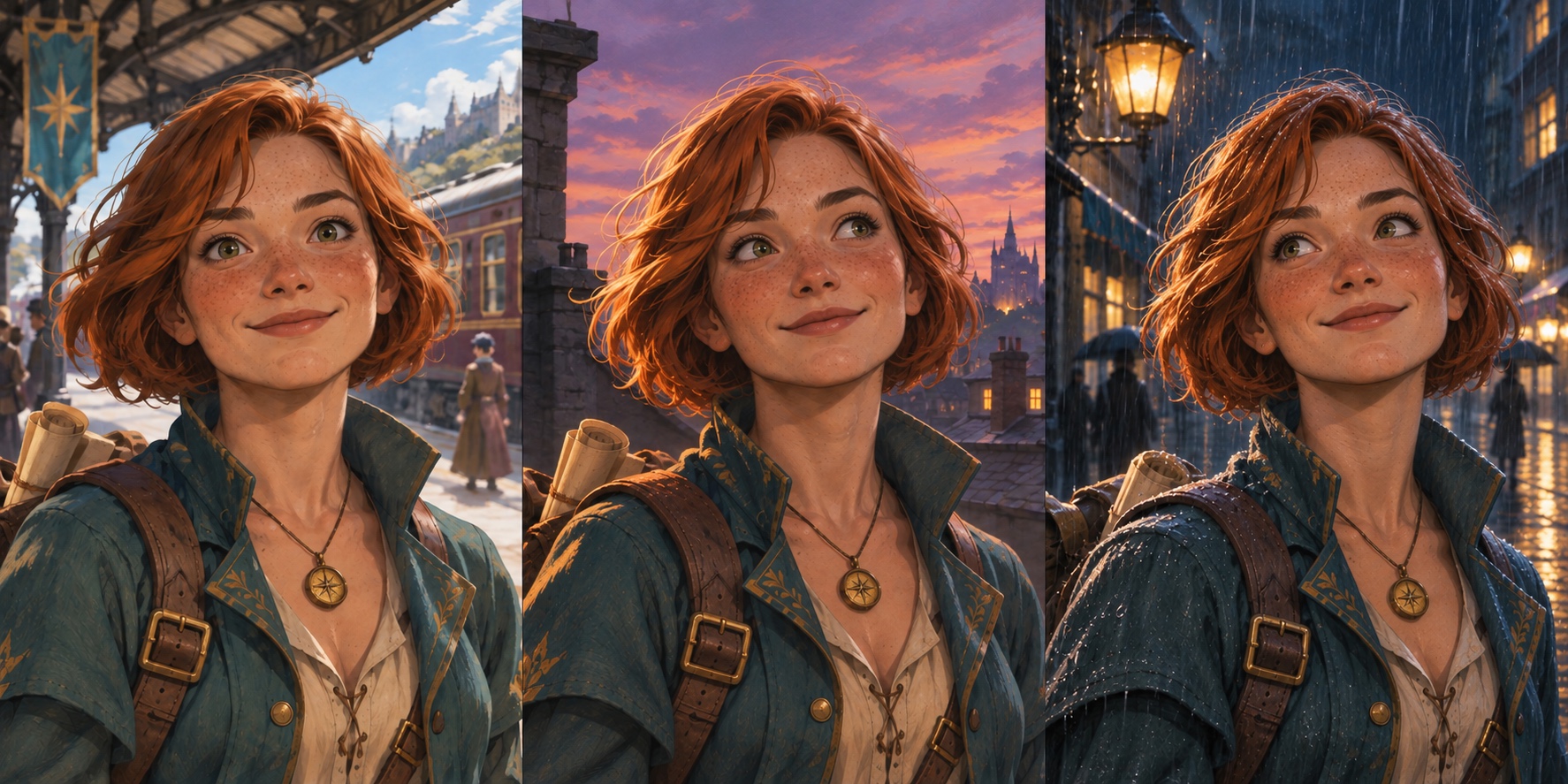
What this comparison shows
Both images are original AI-generated examples. The first was designed to show different interpretations; the second was edited using one portrait as a reference. This illustrates the workflow. It does not measure how often it succeeds, and a reference can still drift when the camera angle or lighting changes.
Watch the 14-second example · Further reading: Runway’s character reference guide

Writes guides and product notes for Bytesweavers.
