Caption Errors That Change Meaning: How to Catch a Dropped “Not” and Swapped Numbers
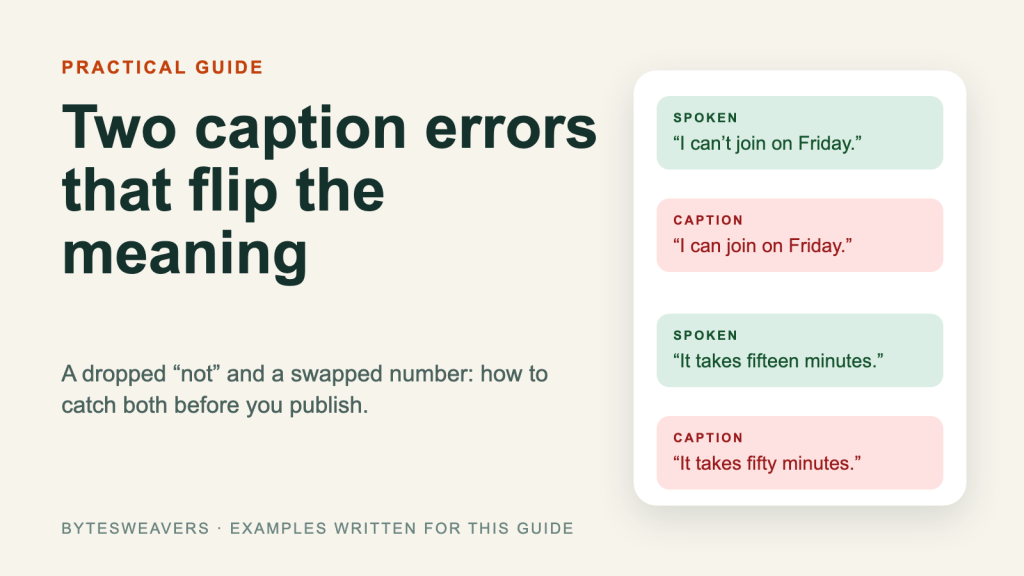
Most caption checks start with spelling. That is the wrong place to begin. A misspelled word looks sloppy, but a dropped “not” or a swapped number changes what the viewer believes you said. This guide shows a short review pass that catches both, using any caption tool and any editor.
Note: every example sentence below was written for this guide. They illustrate error types; they are not measured error rates for any tool.
Why meaning errors matter more than typos
Viewers read captions quickly, often with the sound off. They do not pause to doubt a clean-looking line. If the caption says the opposite of the speaker, most readers will simply believe the caption.
Mistake 1: A dropped negative
Short negatives such as “not”, “don’t”, “can’t” and “no” are quiet in natural speech, so they are easy to lose. The sentence still reads smoothly, which is why nobody notices.
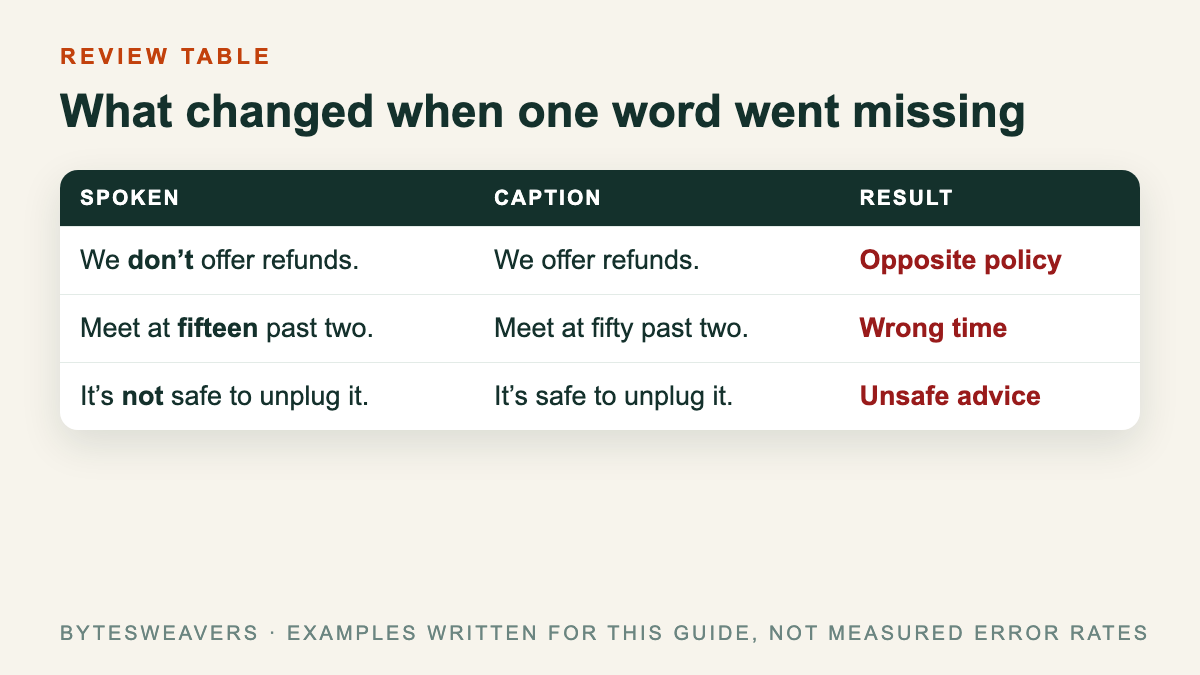
- Spoken: “We don’t offer refunds.” Caption: “We offer refunds.”
- Spoken: “It’s not safe to unplug it.” Caption: “It’s safe to unplug it.”
Mistake 2: Numbers that sound alike
Numbers that end in “-teen” and “-ty” sound close, especially in fast speech: fifteen and fifty, thirteen and thirty. Times, prices and quantities are the usual victims, and a wrong figure often looks perfectly plausible.
- Spoken: “It takes fifteen minutes.” Caption: “It takes fifty minutes.”
- Spoken: “Meet at fifteen past two.” Caption: “Meet at fifty past two.”
A five-minute review pass
- Search the transcript for negatives. Look up “not”, “n’t”, “no”, “never” and “without”. Play the audio around each hit and confirm the caption keeps the negative.
- List every number. Times, prices, dates, counts and percentages. Check each one against the audio, not against what you remember saying.
- Replay each correction at normal speed. A fix that is right on a slow replay can still be wrong at speaking pace.
- Only then proofread spelling and punctuation.
- Keep a short error log. Note whether each error was a negative, a number, a name or a spelling slip. After a few videos you will know which type your setup gets wrong most often.
Practice sentences you can use
Record yourself saying each line below at a natural pace, run it through your caption tool, and compare the result to the answer key (the sentence as written).
- “I can’t make the call at fifteen past three.”
- “Do not restart the update until it reaches one hundred percent.”
- “There are thirteen items, and none of them are free.”
Limits of this method
This is a quick screen, not a benchmark. It will not catch every error type: names, accents, technical vocabulary and speaker changes need their own checks. Results depend on audio quality, language and the tool you use, and anything you publish still needs a human read-through.
Published by Bytesweavers. This guide is tool-neutral and does not recommend or promote a product.

Writes guides and product notes for Bytesweavers.