How to Remove a Person and Their Shadow From a Photo
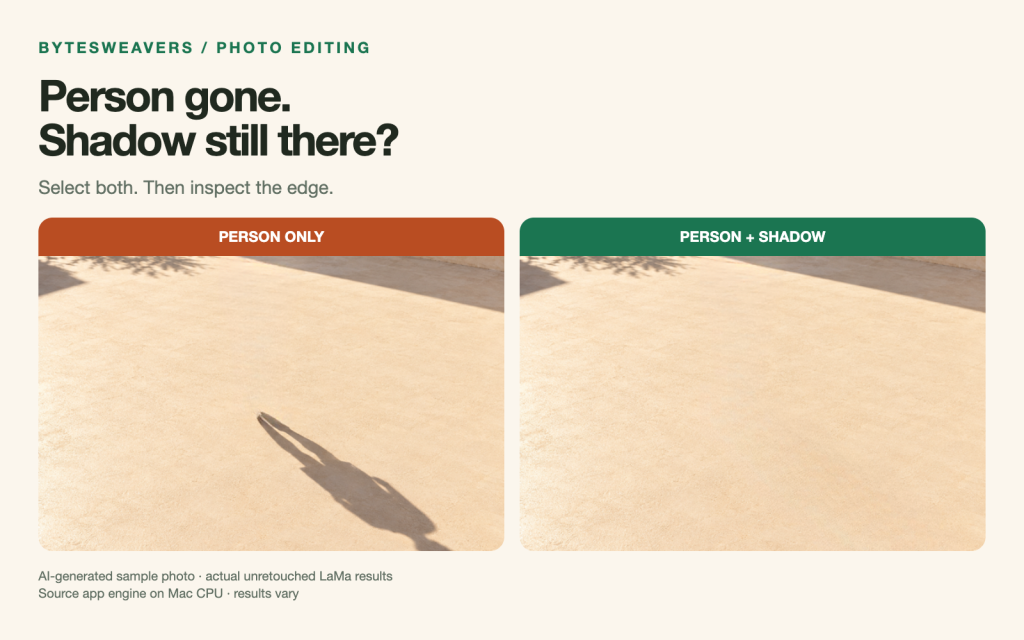
You erase an unwanted person from a photo, step back, and immediately notice what gives the edit away: their shadow is still on the ground.
The practical fix starts with the selection. Include the person and the full cast shadow, leave a small margin around both, then inspect the repaired surface before saving. A reflection may need the same treatment.
Why removing the person can leave a shadow
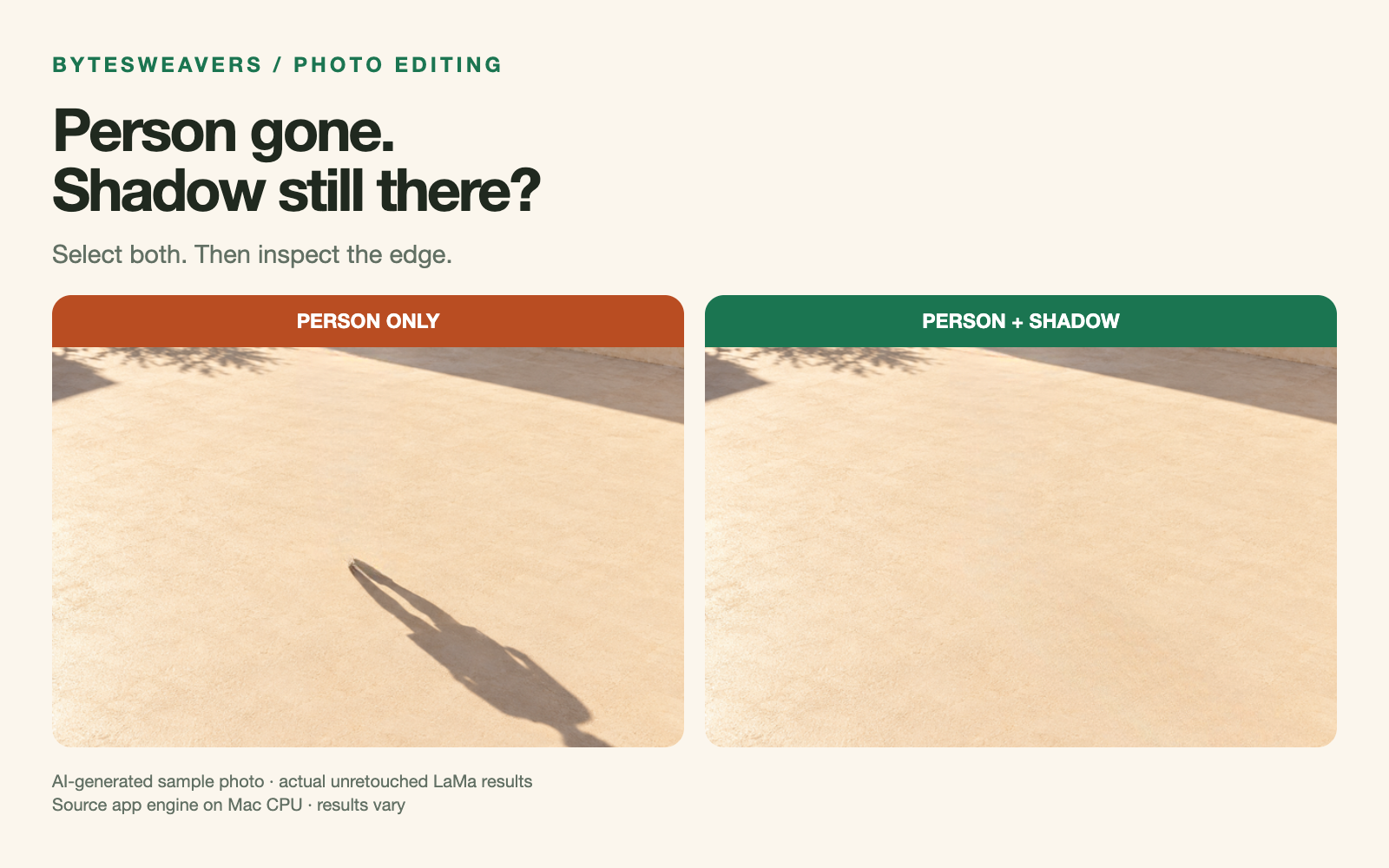
A removal mask tells an inpainting tool which pixels to replace. If the shadow sits outside that mask, it can remain in the photograph even after the person disappears. In this test, selecting only the person left an obvious dark shape across the paving.
How to remove a person and their shadow
- Keep the original. Work on a copy so you can restart without losing the source photo.
- Select the whole distraction. Paint over the person, the complete cast shadow and any separate reflection you also want removed.
- Allow a small margin. Avoid tracing only the darkest centre of the shadow. Include its soft edges, while keeping unnecessary background outside your selection.
- Run removal and inspect. Look at the image normally, then zoom in on the rebuilt surface. Check texture, edges and repeating lines.
- Save a separate result. If something looks smeared or repeated, adjust the selection and retry rather than overwriting your original.
Our test: the same image, two masks
We used the LaMa engine and mask-processing code from AI Image Object Remover Pro. One mask covered the person alone. The second included both the person and the shadow. The results shown here are unretouched engine exports: no generated replacement was swapped in afterwards.
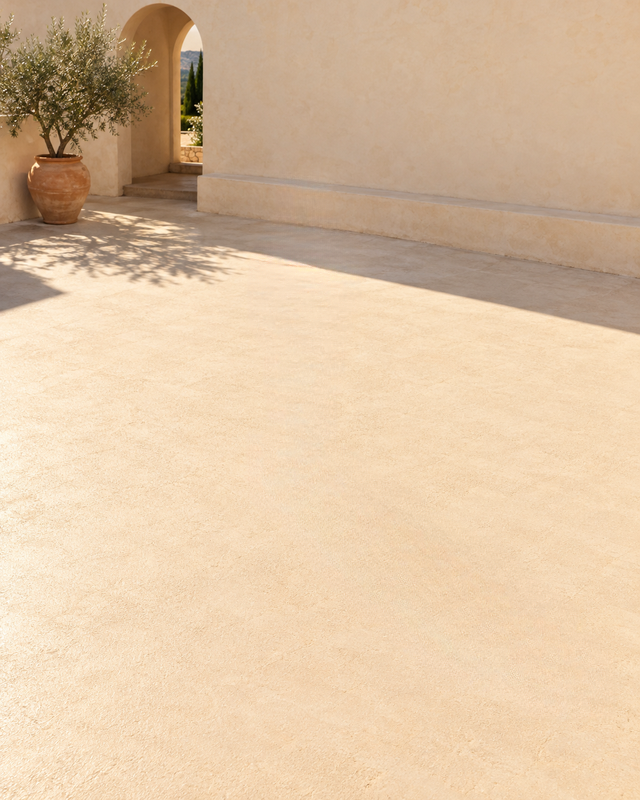
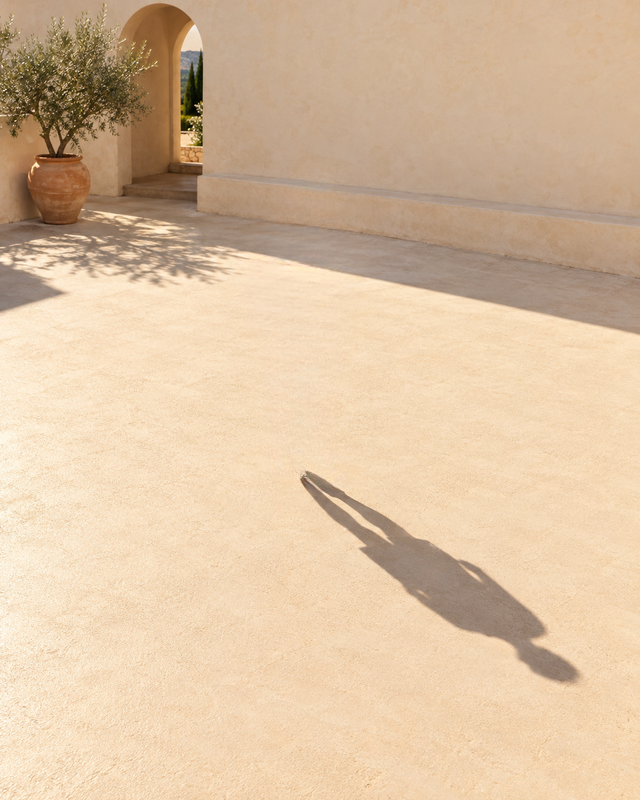
The input was a 640 × 800-pixel AI-generated travel photo. We ran the app engine on a Mac CPU; this was not a Windows MSIX benchmark. The video shows the real source-app mask editor running on macOS. Its orange selection and cursor are an animated instructional guide to the test mask, not a live mouse recording. Processing waits are cut.
What to check before you export
- Ground texture: paving, grass and tiles can develop smudges or repeated patches.
- Lines: inspect grout, railings and architectural edges near the removed area.
- Other shadows: preserve shadows that belong to objects you are keeping.
- Meaning: an edit changes the scene. Use an original for documentary evidence and disclose editing when context requires it.
When this approach may struggle
Large selections, faces, detailed lettering and complex repeated patterns can produce an unconvincing repair. Including the shadow improves what you ask the tool to remove; it does not guarantee a perfect reconstruction. Try a smaller correction or choose another photo when the result does not hold up.
Watch the 18-second comparison
Watch: how to remove someone AND their shadow from a photo.
Try the Windows app
Bytesweavers develops AI Image Object Remover Pro for Windows. Check the Microsoft Store listing for current pricing, availability and system requirements. This article is a demonstration of our own product’s engine.
The takeaway: paint the entire distraction, including the shadow; inspect the repair; keep the original.

Writes guides and product notes for Bytesweavers.