Run Qwen-Image-2.1-Turbo Locally on Windows: Setup, 3 Catches and Fixes
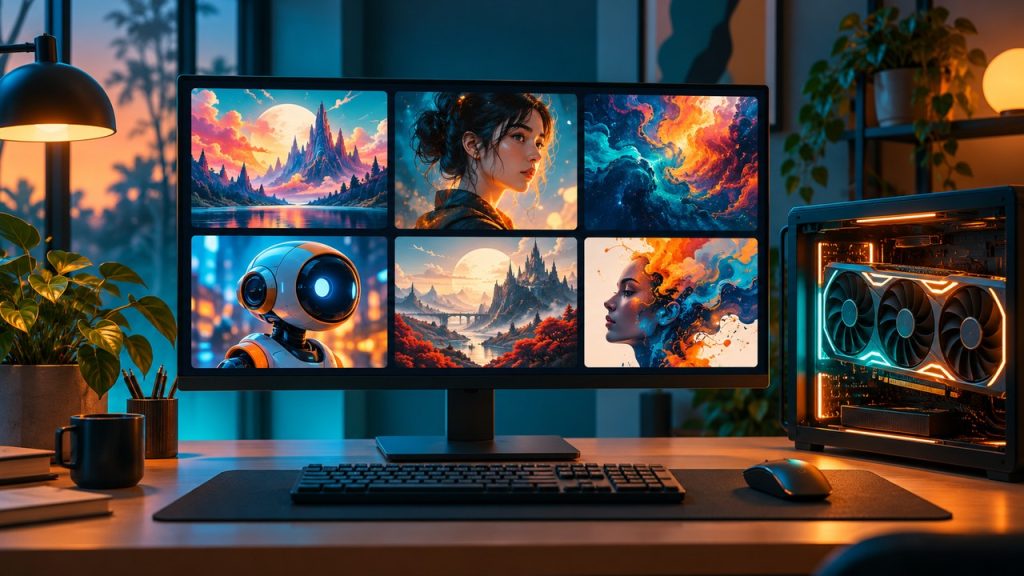
A new 8-step image model called Qwen-Image-2.1-Turbo just landed on Hugging Face, and the first question everyone asks is the same: can I run it on my own Windows PC? You can, but there are three catches that the headline numbers skip. This guide covers the setup that works, the errors you are likely to hit, and how it compares with Z-Image Turbo, which AI Text To Image Generator Pro already ships.
Honest note: the app screens in our video are recreated from the app’s v1.2.14 source and the sample images are official Qwen outputs, not generated live. Nothing here claims a speed or quality ranking we did not measure.
The 3 catches before you start
- It is big. The model files are about 32 to 33 GB, and the first generation downloads them.
- It needs its own CUDA Python environment. The app bundles only the gateway script, not PyTorch, diffusers or transformers.
- The licence is research only. The Qwen Research License allows non-commercial use (research or evaluation). Commercial use needs a separate licence from Qwen.

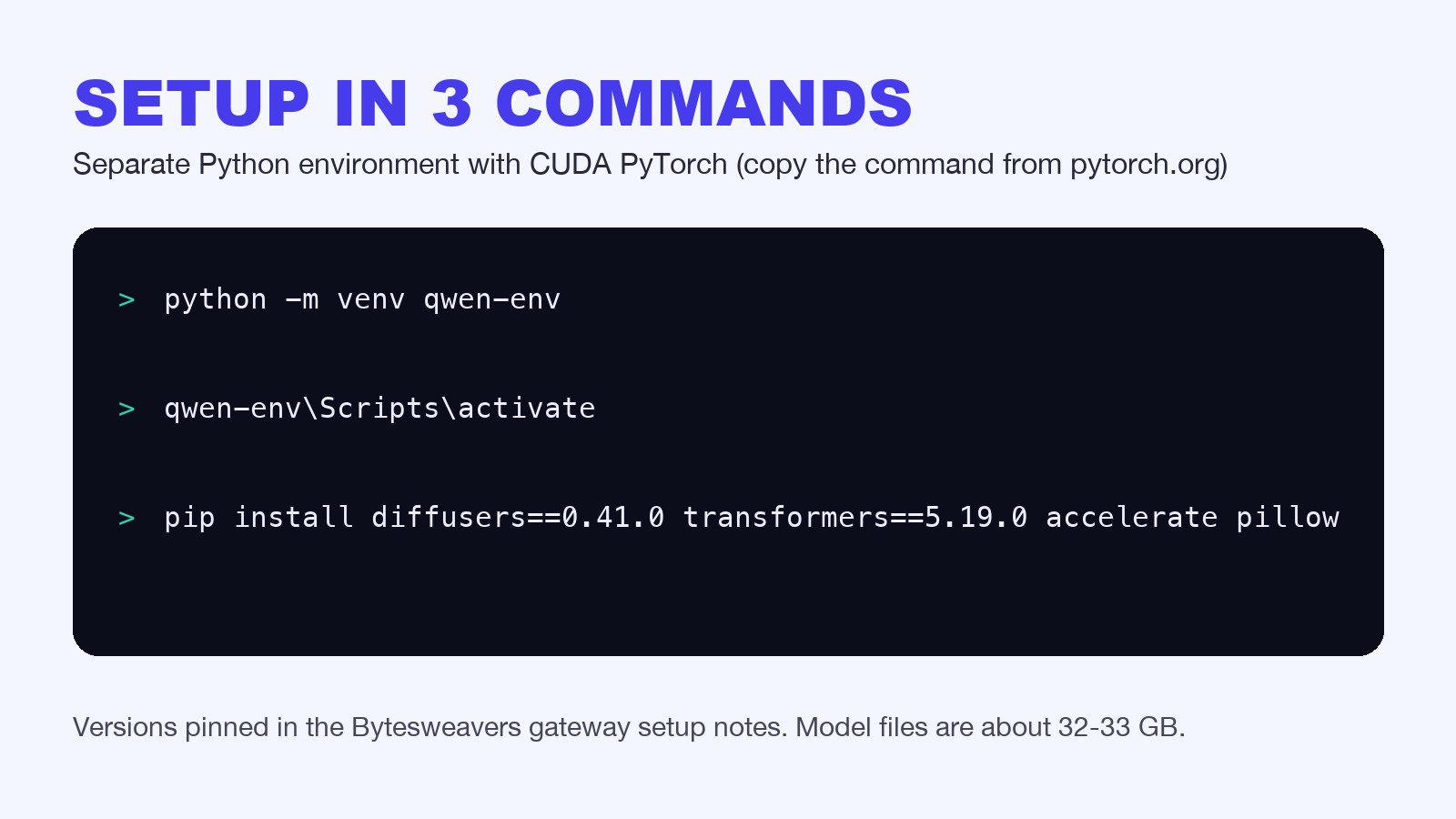
Step 1: build a separate Python environment
Create a clean environment, install PyTorch with CUDA using the command from pytorch.org, then install the pinned libraries. These are the versions our gateway notes were tested with.
Step 2: add the model in AI Text To Image Generator Pro
Open Manage Custom Models, use the Add New Model tab, enter the Hugging Face ID Qwen/Qwen-Image-2.1-Turbo, choose Qwen Image 2.1 Gateway as the pipeline type, point the runtime field at your environment’s python.exe, then click Add & Verify Model. Verify only checks your setup. It does not download the weights.
Step 3: generate
Pick the model, click Edit Prompt, type your prompt and generate. The first run downloads the files, so expect a long wait once. After that it uses the saved 8-step schedule from the checkpoint.
Three errors and the fixes
- Unknown pipeline or cannot find QwenImage21Pipeline: your diffusers is too old. Install the pinned version:
pip install diffusers==0.41.0. - No kernel image is available for execution: your PyTorch build does not support your GPU. Install a PyTorch build with a newer CUDA version, 12.8 or later for RTX 50 cards.
- Out of memory or very slow: this is a 7B-class model. Close other GPU apps and try a smaller image size first.
Image sizes from the model card
The model card lists presets of 2048×2048 for 1:1, 2752×1536 for 16:9 and 1536×2752 for 9:16. Start smaller if memory is tight.
Qwen 2.1 Turbo vs Z-Image Turbo
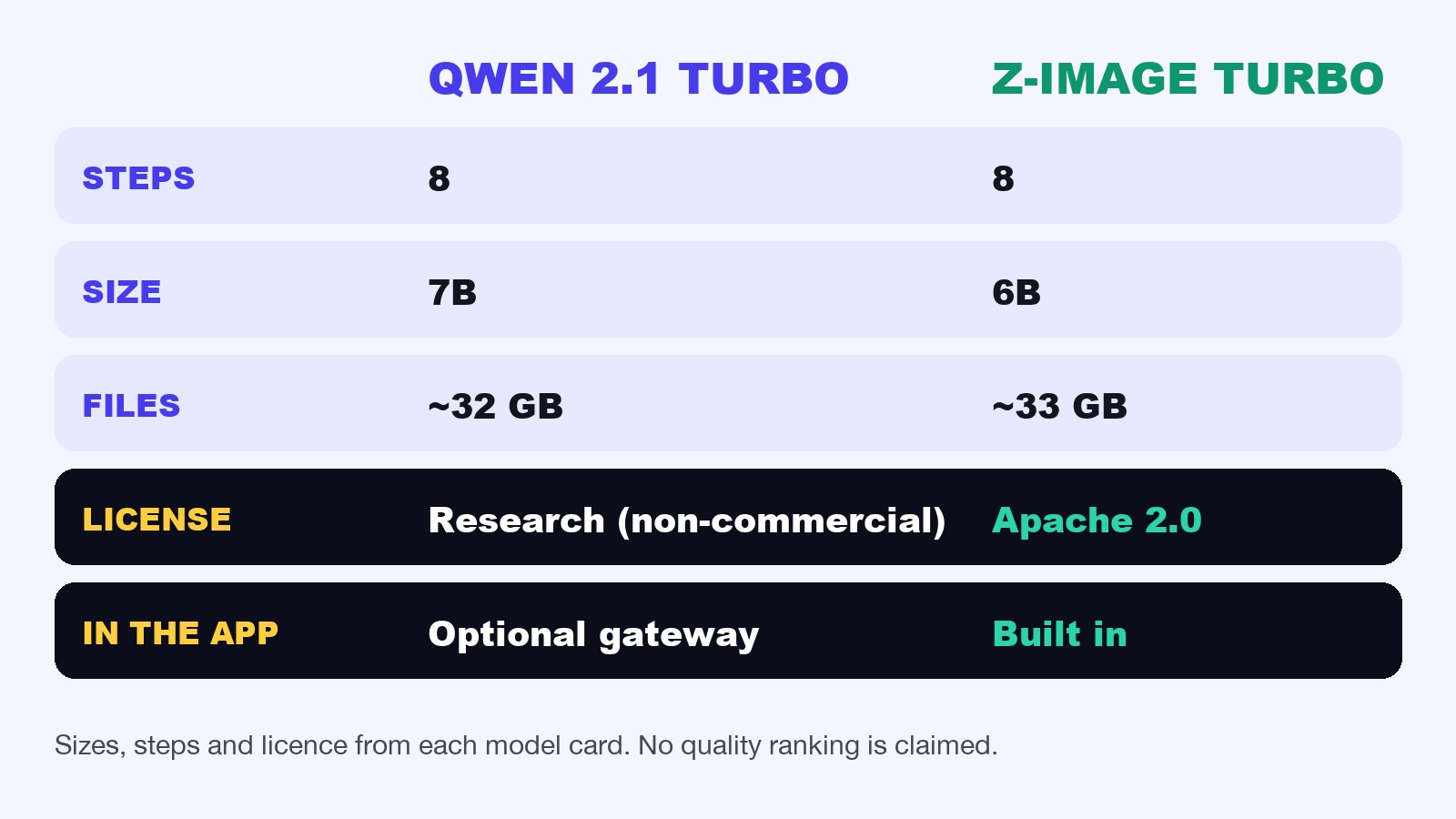
If you need a model you can use commercially without a separate licence, Z-Image Turbo (Apache 2.0) is already built into the app. Qwen is the one to try for research and personal experiments.
Try it
AI Text To Image Generator Pro is a Windows app on the Microsoft Store. Prefer to watch first? Here is the 15-second version on YouTube Shorts. The model itself lives on Hugging Face.
Limits, plainly
- You need an NVIDIA GPU and a working CUDA setup. We did not test every card.
- The gateway adds the model to the app. It does not grant any model or commercial rights.
- Sample images are official Qwen outputs, and your results will differ.

Writes guides and product notes for Bytesweavers.