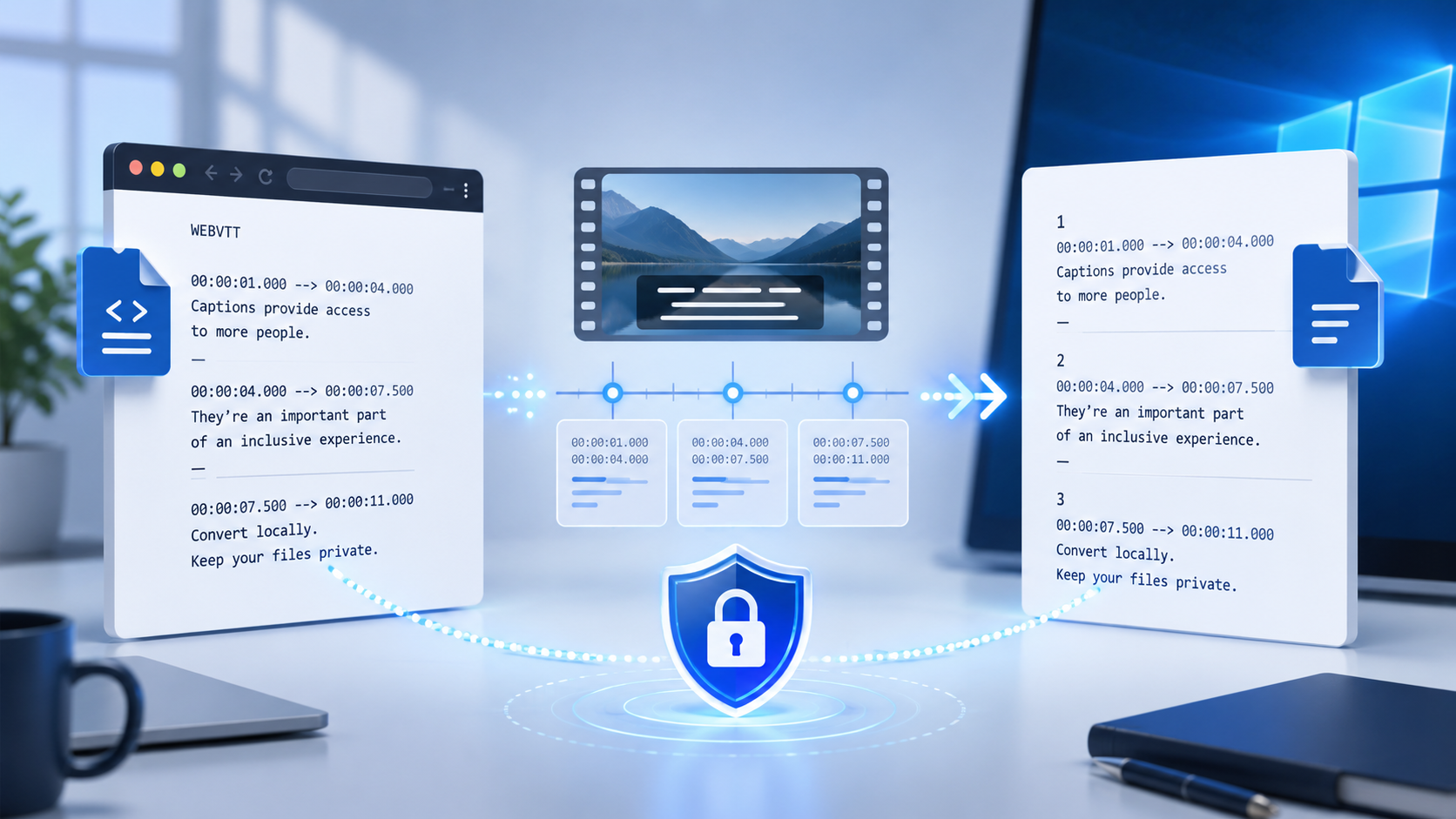
Need to convert a WebVTT subtitle file to SRT without uploading it? An offline workflow keeps your captions on your computer, preserves timing, and gives you a clean file for video editors, media players, and publishing tools.
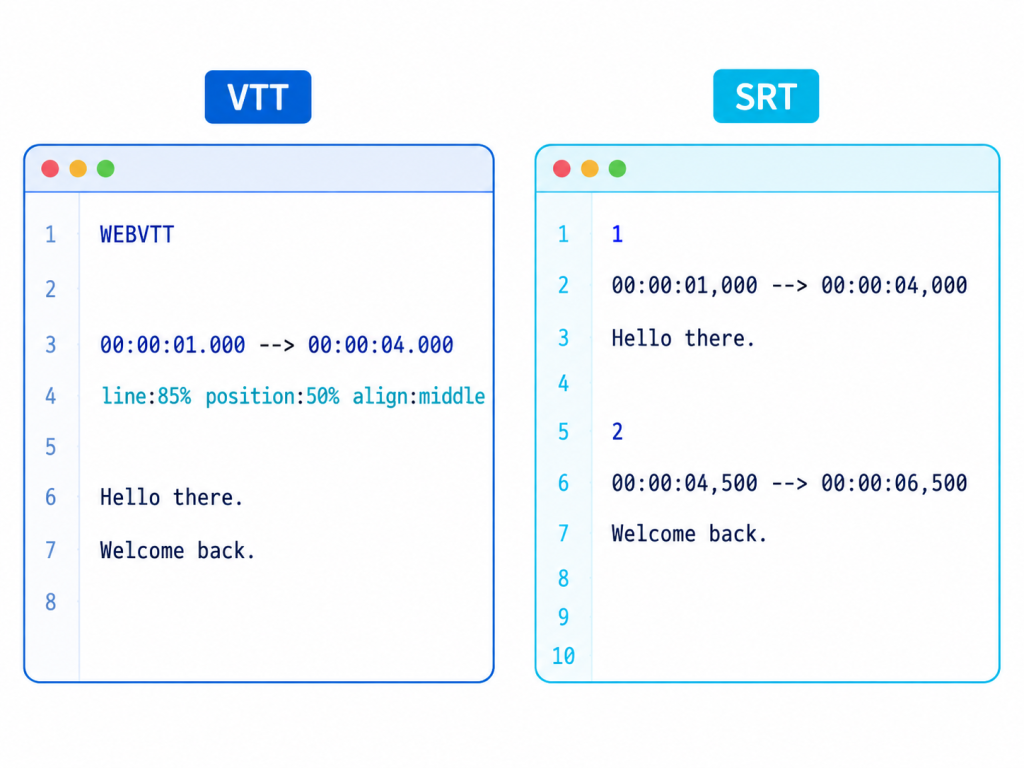
WebVTT is designed for web video and can contain styling, positioning, voice labels, and metadata. SRT is a simpler subtitle format supported by many desktop players and editing applications. Converting between them is usually straightforward, but extra VTT features may need cleanup.
When an offline conversion is the better choice
An offline converter is useful when a subtitle file contains private interviews, unreleased footage, client material, or sensitive training content. It also helps when you need predictable results without waiting for an upload or depending on an internet connection.
Before converting, make a copy of the original VTT file. Check that the captions use readable timestamps, that cue text is complete, and that any formatting is intentional.
A practical VTT-to-SRT workflow
Open the VTT file locally and confirm the first line identifies it as WebVTT.
Convert each cue timestamp from hours:minutes:seconds.milliseconds to the SRT comma format.
Remove WebVTT-only headers, cue settings, styling tags, and metadata that your target player does not support.
Number the subtitle blocks consecutively, keep a blank line between blocks, and save with the .srt extension.
Test the exported SRT with the final video and check the first, middle, and last cues for timing drift.
VTT features that may need cleanup
Feature | In VTT | In SRT
Timestamp separator | Period, for example 00:01:02.500 | Comma, for example 00:01:02,500
Cue settings | May include position, line, size, or alignment | Usually removed or simplified
Styling and voice labels | Supported by WebVTT syntax | Keep only readable text when compatibility matters
Common conversion problems
If captions appear too early or late, compare the first and last timestamps against the video. If accented characters are broken, save the file as UTF-8. If a player shows markup, remove unsupported tags and cue settings. If numbering is rejected, rebuild the sequence from 1 with no skipped numbers.
Why local processing helps
Keeping subtitle conversion on-device gives you a clear privacy boundary: the source file stays local, the conversion can work offline, and you can review the output before sending it to an editor or publishing platform.
For a repeatable Windows workflow, use an offline subtitle utility that can open VTT, export SRT, preserve the original file, and process files without uploading them.
Final checklist
Confirm the file begins with WebVTT, verify timestamps, remove unsupported formatting, save as UTF-8 SRT, test playback, and keep the original VTT as a backup.