Advanced AI Image Enhancer
Go beyond simple scaling. Our technology intelligently fills in missing details for a natural, high-quality finish, making images clearer.
Offer🔥 Limited-Time Special Pricing — Get AI Image Upscaler Pro at the current special price.
Enlarge photos and increase image resolution with the power of AI.
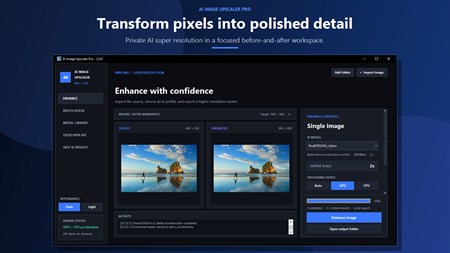
Enhance your photos with AI technology at the current special price.
Tired of blurry images? Enlarge and enhance photos with our AI Image Upscaler. Powered by state-of-the-art Real-ESRGAN AI models, it intelligently analyzes and reconstructs your images, adding realistic detail and clarity. Unlike online tools, our application works completely offline, so your files are never uploaded to a server, ensuring your images remain secure on your computer.
Go beyond simple scaling. Our technology intelligently fills in missing details for a natural, high-quality finish, making images clearer.
Process entire folders of images at once. Save hours of manual effort and streamline your workflow.
Import your own custom-trained .pth models (RRDBNet & SRVGGNetCompact) for unique and tailored results.
Breathe new life into old, cherished memories by improving clarity and detail.
Upscale client images for print, web, or marketing materials.
Enhance product photos for better online presentation and sales.
Improve textures and game assets with AI-powered upscaling.
You can upscale images up to 4x their original resolution. For example, a 1000x1000 image can become 4000x4000. The app automatically manages VRAM usage to handle large images without crashes.
Yes! AI Image Upscaler works 100% offline. All processing happens locally on your computer using the bundled AI models. Your images are never uploaded to any server, ensuring complete privacy.
The app supports all common image formats including PNG, JPG, JPEG, BMP, TIFF, and WebP. Output can be saved as PNG or JPG with customizable quality settings.
Real-ESRGAN (Enhanced Super-Resolution Generative Adversarial Network) is an AI model that intelligently predicts and generates missing pixel information when enlarging images. It produces more natural results than traditional upscaling methods.
Yes! The Pro version includes powerful bulk processing. Simply select a folder and the app will upscale all images automatically. The free version is limited to 10 images per day with single-image processing.
Yes! The app supports both CPU and GPU processing. If you have an NVIDIA GPU with CUDA support, upscaling will be significantly faster. The app automatically detects your hardware and optimizes accordingly.
Yes! The Pro version includes a Model Manager that lets you import your own custom-trained .pth models (RRDBNet and SRVGGNetCompact architectures). This allows specialized upscaling for anime, old photos, or other use cases.
The Free version offers 10 images/day with bundled models. Pro unlocks unlimited upscaling, bulk folder processing, custom model import, queue management, and priority support.
Transform your images with AI-powered upscaling at the current special price.
Sort, rename, and clean folders with AI-assisted file organisation.
Create polished captions with local Whisper models and styled exports.
Transcribe meetings, create local summaries, and export what matters.
Generate private AI art with built-in models and a generous free tier.