
AI Image Object Remover Pro
Remove any unwanted objects, people, text, or blemishes in seconds.
Windows Desktop App • LaMa AI Model • 100% Offline & Private
Download from the Microsoft Store
Get unlimited, high-quality object removal with a simple one-time purchase.
Buy AI Object Remover Pro – $5.99Secure download Lifetime updates One-time purchase
The Magic of AI Inpainting
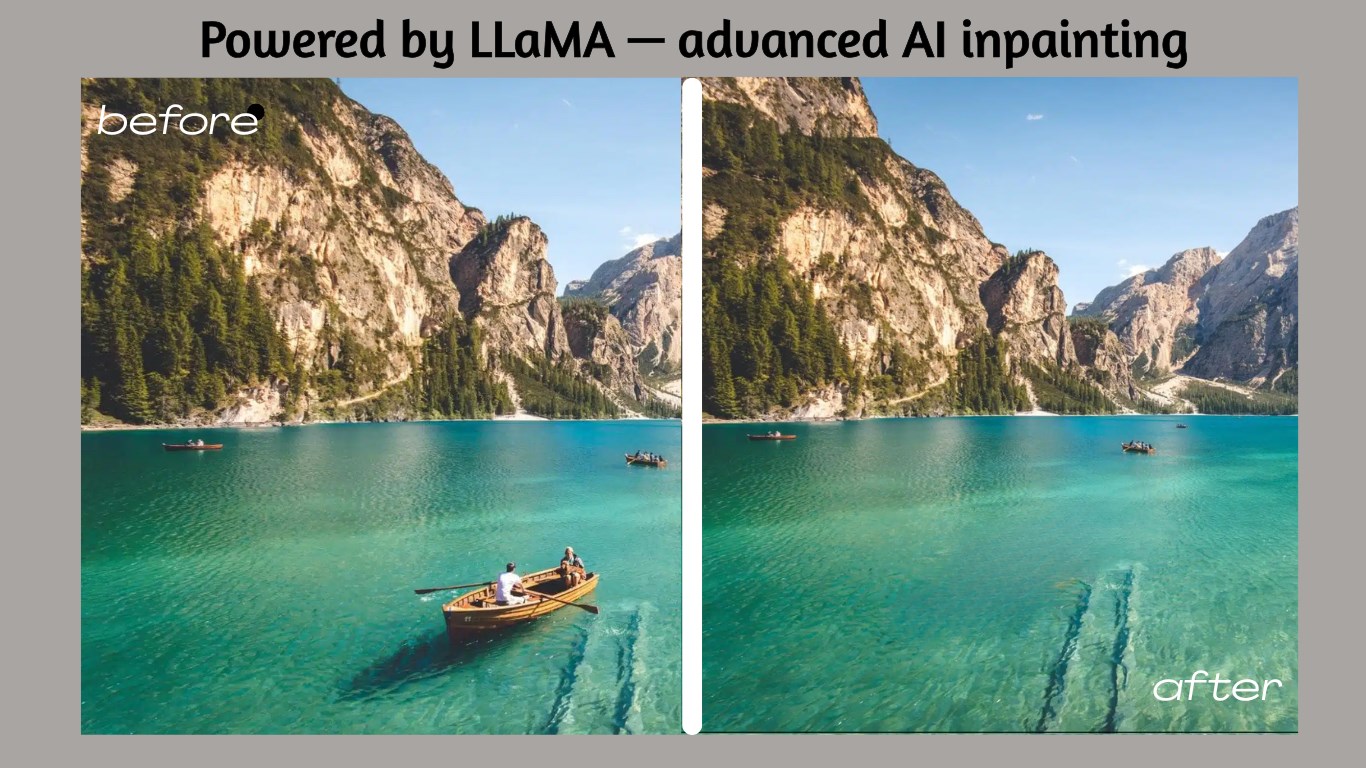
Tired of photobombers, distracting watermarks, or ugly blemishes ruining a great shot? AI Image Object Remover Pro is your one-click solution. Powered by the advanced LaMa (Large Mask Inpainting) AI model, our application intelligently reconstructs the background behind any removed object.
It delivers natural and seamless results that are impossible to achieve with traditional clone stamp tools, which often leave smudges and repeating patterns. Best of all, it runs 100% offline, so your photos are never uploaded to the cloud, guaranteeing complete privacy and security.
Simple 3-Step Process
We designed the workflow to be incredibly simple and fast. No technical skills required.
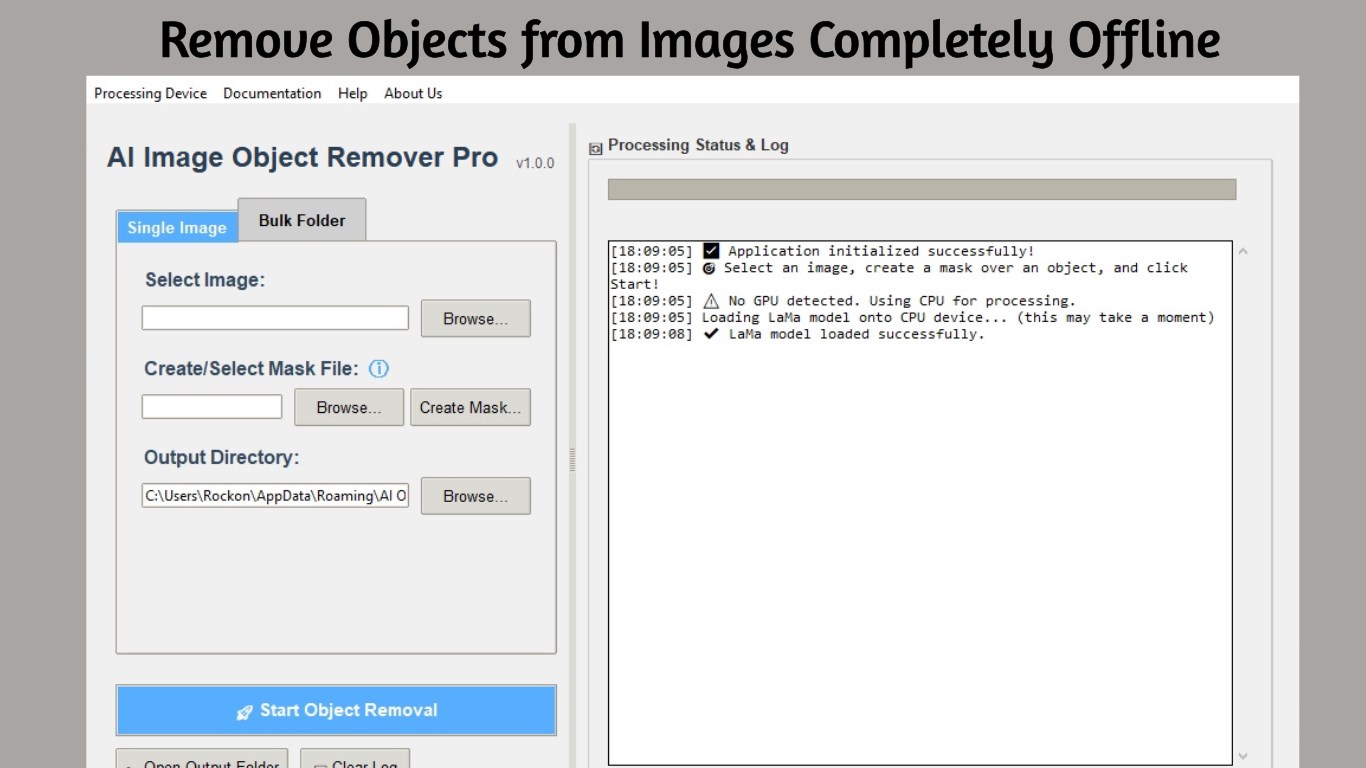
- Select Your Image: Open any standard image file (JPG, PNG, WEBP, etc.) from your computer.
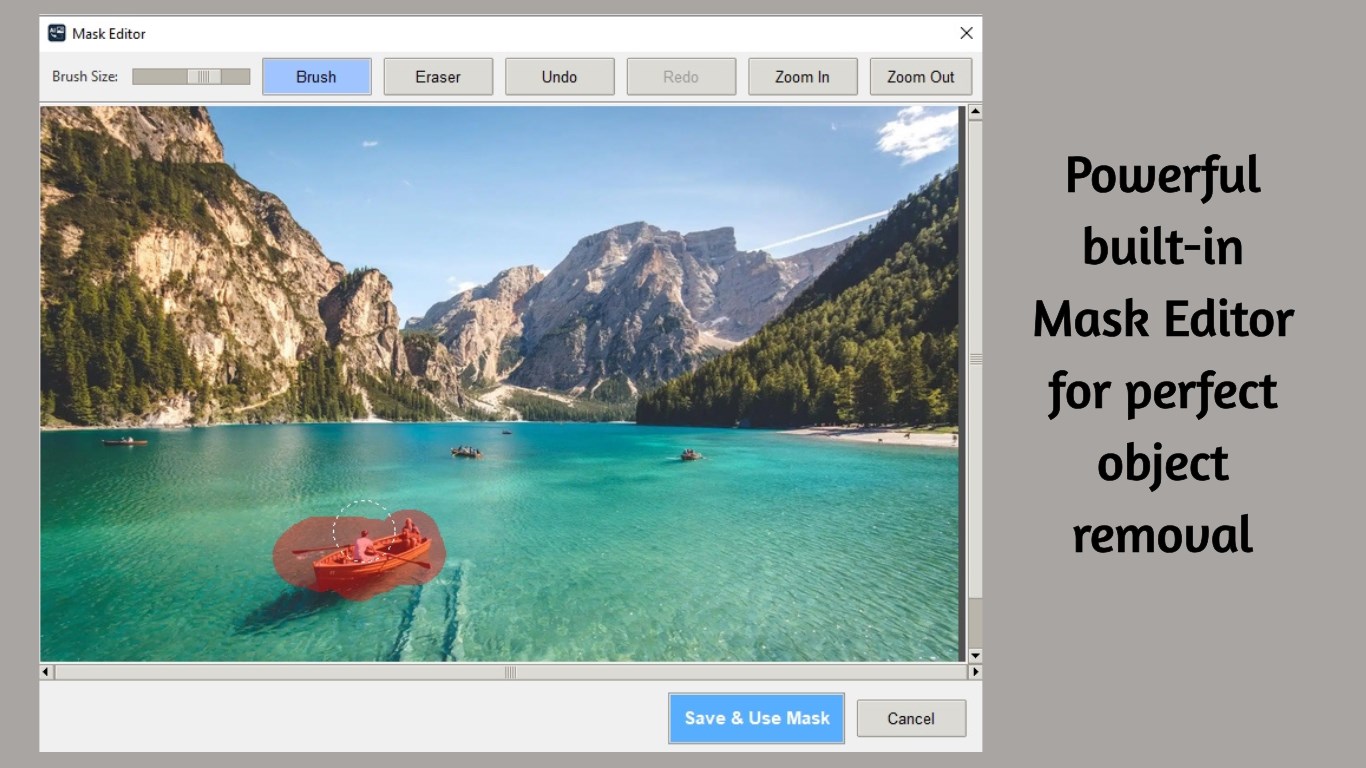
- Create a Mask: Use our powerful built-in editor to simply paint over the items you want to remove. The intuitive brush, eraser, and zoom tools make it easy to be precise.
- Process with AI: Click the “Start” button and let the AI work its magic. Your cleaned image is saved automatically to the output folder.
Powerful Features
Advanced AI Inpainting
Utilizes the state-of-the-art LaMa AI model to seamlessly fill backgrounds for natural, realistic results without blurry patches.
Intuitive Masking Editor
Easily paint over any object with a simple brush, eraser, and zoom tools for pixel-perfect precision and control.
Bulk Folder Processing
Remove a recurring object (like a camera timestamp or logo) from an entire folder of images at once, saving hours of work.
GPU Acceleration
Leverage NVIDIA CUDA-enabled GPUs for significantly faster processing speeds with CPU fallback for all systems.
100% Offline & Private
All processing happens locally on your computer. Your images never leave your device, ensuring complete data privacy.
Unlimited Processing
No credit systems, no monthly limits, no subscriptions. Pay once and use forever on as many images as you want.
Perfect for Any Scenario
- Remove People: Easily erase photobombers or unwanted individuals from group shots and travel photos.
- Erase Text & Watermarks: Clean up images by removing distracting text, logos, and date stamps.
- Blemish & Skin Retouching: Remove acne, scars, and other skin imperfections for flawless portraits.
- Delete Unwanted Objects: Get rid of trash cans, power lines, and any other distracting elements.
- Photo Restoration: Remove scratches, dust, and damage from old scanned photographs.
Screenshots
System Requirements
Minimum:
- Windows 10 version 1903 or higher
- 4 GB RAM
- DirectX 11 compatible GPU
- 200 MB available disk space
Recommended:
- Windows 11
- 8 GB RAM or more
- NVIDIA GPU with CUDA support
- SSD for faster processing
Frequently Asked Questions
What types of objects can I remove?
You can remove virtually anything: people, watermarks, text, logos, blemishes, scratches, power lines, trash cans, and any other unwanted elements. The AI works best on objects that don’t cover critical parts of your subject.
Does it work offline?
Yes! The app works 100% offline. All AI processing happens locally on your computer using the bundled LaMa model. Your images are never uploaded to any server.
What image formats are supported?
The app supports all common image formats including JPG, JPEG, PNG, WebP, BMP, and TIFF. Output is saved as PNG format.
How does bulk processing work?
Create a mask on one image, then apply that same mask to an entire folder. This is perfect for removing recurring watermarks, timestamps, or logos from batches of photos.
Do I need a powerful GPU?
An NVIDIA GPU with CUDA support is recommended for faster processing, but not required. The app works on CPU too—processing just takes a bit longer.
Is this better than clone stamp tools?
Yes! Unlike clone stamp which copies existing patterns (often creating visible repetition), the LaMa AI model intelligently generates new content that matches the surrounding area naturally.
Is there a limit to how many images I can process?
No! Unlike online tools with credit systems, AI Image Object Remover Pro offers unlimited processing. Pay once and use it on as many images as you want, forever.
Is this a one-time purchase or subscription?
It’s a one-time purchase! Pay $5.99 once and own the app forever, including all future updates. No recurring fees or subscriptions.
Transform Your Images Today
Stop wrestling with complicated editors. Download now and transform your images from good to perfect!
Buy AI Object Remover Pro – $5.99