Remove a messy photo background on iPhone, offline (Halloween costume edition)
The messy-room problem
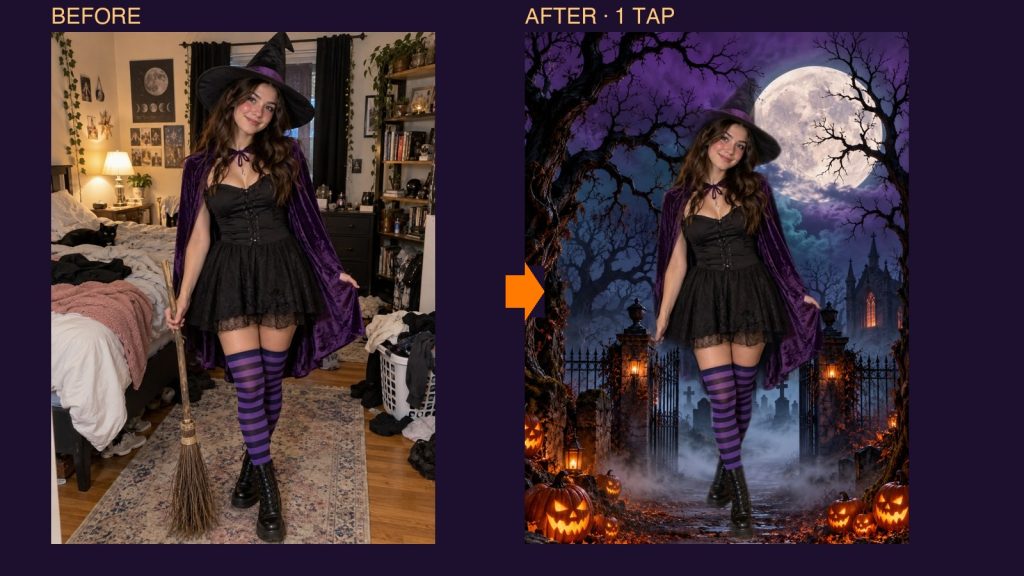
You took a great Halloween costume photo, and then you noticed the laundry pile, the unmade bed and the lamp cord behind it. You do not need a desktop editor to fix that. Offline Image BG Remover cuts the person out on your iPhone or iPad, and nothing is uploaded.

How to remove the background in one tap
- Open Offline Image BG Remover and tap Photos.
- Pick the picture. People, products, pets and everyday objects work best.
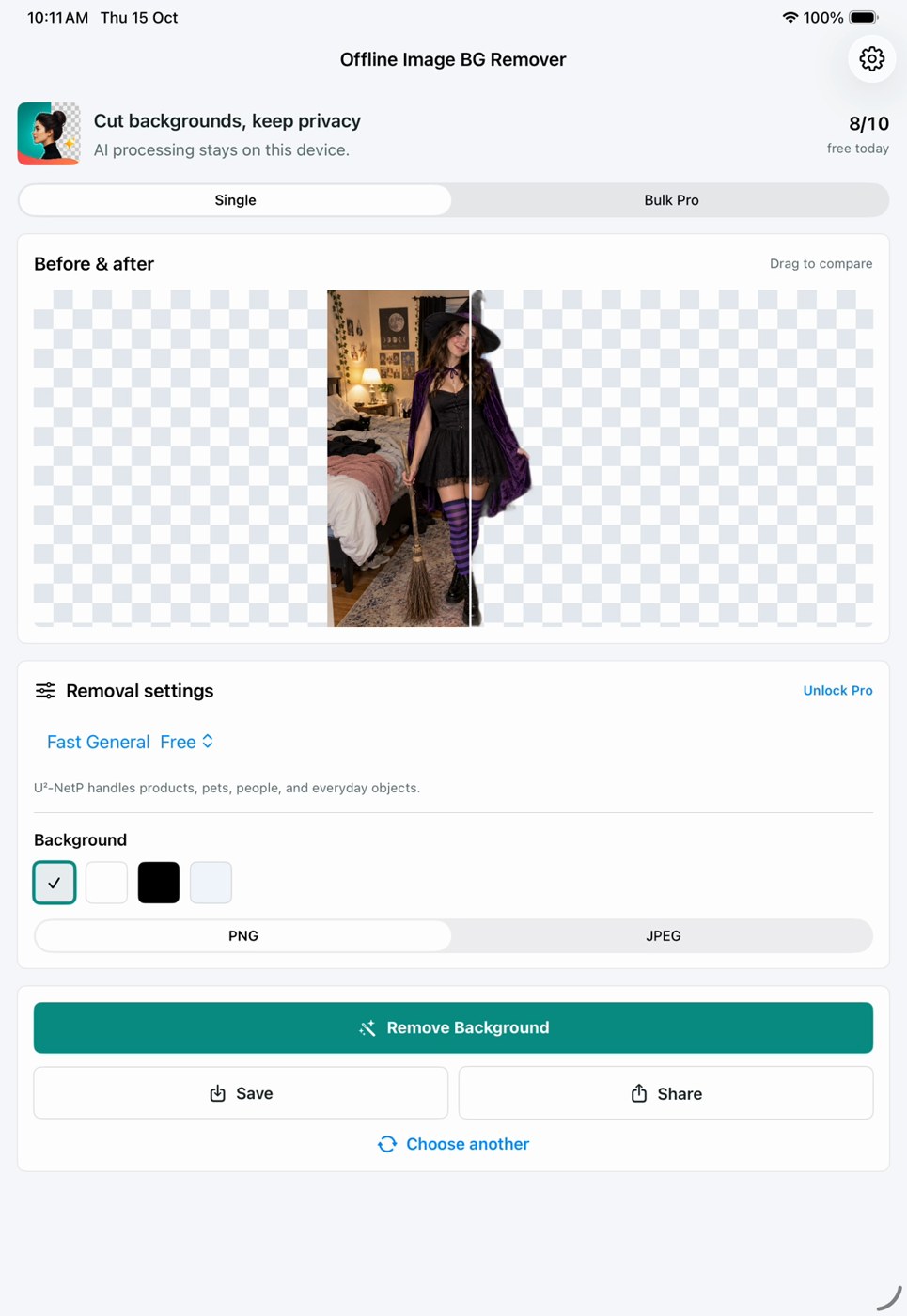
- Leave the model on Fast General (free) and the background on Transparent.
- Tap Remove Background. The cut happens on your device.
- Drag the Before & after slider to check the edges, then Save or Share the PNG.
Drop the cutout into a spooky scene
The app exports a transparent PNG. Place it over any background in your favourite photo or design app. For this example I put it over an AI-generated moonlit graveyard. The scene was added outside the app.

Check your edges (the broom got cut off)
Look closely at the first photo: the witch is holding a thin wooden broom. The free model dropped it. Thin props, hair wisps and anything see-through can be missed, so always slide the comparison and zoom in before you share. If a prop matters, shoot it against a plainer background or paste it back in later.
Good to know
- Free plan: 10 background removals a day, shown as the counter at the top of the app.
- Everything runs on-device with Core ML, so no account and no upload.
- PNG keeps transparency; JPEG fills the background with the colour you choose.
Offline Image BG Remover is on the App Store for iPhone and iPad.

Writes guides and product notes for Bytesweavers.