
Video to Text Transcriber
Transcribe recordings, identify speakers, create private AI summaries, and export meeting notes or subtitles from your PC.
Windows Desktop App • Offline Whisper Transcription • Free to Start
Turn Your Next Recording into Text
Download the Windows app and transcribe short audio or video files privately for free.
Download FreePrivate Transcription with Useful Results
Video to Text Transcriber converts recorded meetings, interviews, lectures, and media files into searchable text using local Whisper speech recognition. It can identify speakers and turn the transcript into action items, decisions, risks, and next steps without uploading sensitive recordings.
The free tier handles short recordings and essential TXT export. Premium expands the workflow with longer files, more speakers, larger models, batch folders, redaction controls, and professional document formats.
From Recording to Organized Notes
- Add media: Open a supported meeting, interview, audio, or video file.
- Transcribe locally: Choose a Whisper model and identify speakers.
- Create a summary: Generate decisions, tasks, risks, or meeting notes on your PC.
- Export: Save text, subtitles, data, or professional documents for your workflow.
Core Features
Offline Transcription
Use Whisper locally with CPU fallback and optional CUDA or Vulkan acceleration.
Speaker Identification
Separate speakers automatically so conversations are easier to review and quote.
Local AI Summaries
Create action items, decisions, risks, and next steps without sending recordings online.
Professional Exports
Export DOCX, PDF, Markdown, TXT, JSON, SRT, and WebVTT for notes and subtitles.
Privacy Controls
Use PII redaction, air-gap mode, and a SHA-256 chain of custody for sensitive work.
Meeting Templates
Apply repeatable formats for general meetings, standups, legal, HR, and board minutes.
Free and Premium Features
Included Free
- Files up to 20 minutes
- Up to two speakers
- Tiny and Base Whisper models
- Three local AI summaries per day
- TXT export
Premium Upgrade
- Unlimited recording length and speakers
- Large v3 Whisper model
- Batch folder processing
- PII redaction and air-gap workflows
- DOCX and PDF export
App Screenshots
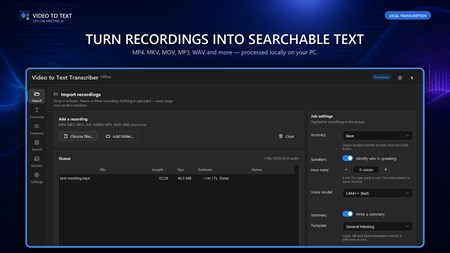
Transcription workspace
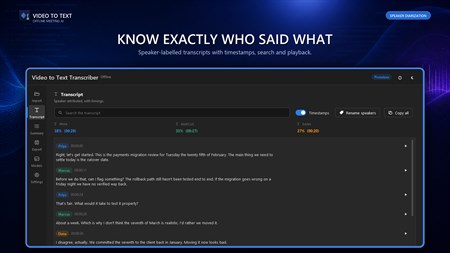
Private AI summary tools
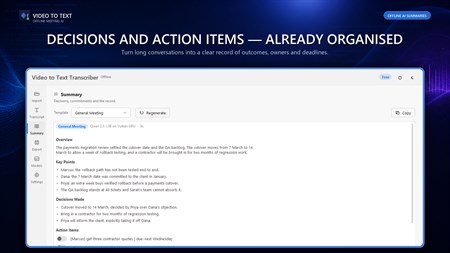
Document and subtitle exports
Built for Recording-Heavy Work
- Meetings: Produce structured minutes, action items, and decisions.
- Interviews: Separate speakers and create searchable research transcripts.
- Education: Convert lectures and recorded lessons into notes and subtitles.
- Compliance: Use local processing, redaction, and chain-of-custody tools for sensitive records.
Frequently Asked Questions
Does transcription work offline?
Yes. Whisper transcription and supported AI summary workflows run locally so recordings can remain on your computer.
What is included in the free tier?
Free users can transcribe files up to 20 minutes with up to two speakers, use Tiny or Base models, create three daily summaries, and export TXT.
Can the app identify different speakers?
Yes. Speaker identification separates voices to make meetings and interviews easier to review.
Which formats can Premium export?
Premium supports DOCX, PDF, Markdown, TXT, JSON, SRT, and WebVTT exports.
What privacy tools are available?
Premium workflows include PII redaction, air-gap operation, and a SHA-256 chain of custody for sensitive records.
Turn Recordings into Workable Knowledge
Transcribe, organize, summarize, and export meetings and media without giving up privacy.
Get Video to Text Transcriber