
AI Video Upscaler Pro
Increase video resolution to 2x or 4x with the power of AI.
Windows Desktop App • Real-ESRGAN Models • 100% Offline & Private
Download from the Microsoft Store
Transform your pixelated videos into crisp, high-definition masterpieces.
Buy AI Video Upscaler Pro – FREESecure download Lifetime updates One-time purchase
Reveal Stunning New Detail
Breathe new life into your old or low-resolution videos. This powerful desktop application uses state-of-the-art Real-ESRGAN AI to enhance and upscale your video files, revealing incredible new levels of detail and clarity.
Designed with privacy as a core principle, AI Video Upscaler Pro works 100% offline. Your video files are never uploaded to the cloud, ensuring your content remains completely under your control on your local computer. Whether you’re restoring old family videos, enhancing content for YouTube, or upscaling archival footage, this tool delivers professional-quality results.
Professional Grade Features
Intelligent AI Upscaling
Utilize cutting-edge Real-ESRGAN models to increase video resolution to 2x or 4x with incredible detail preservation and artifact reduction.
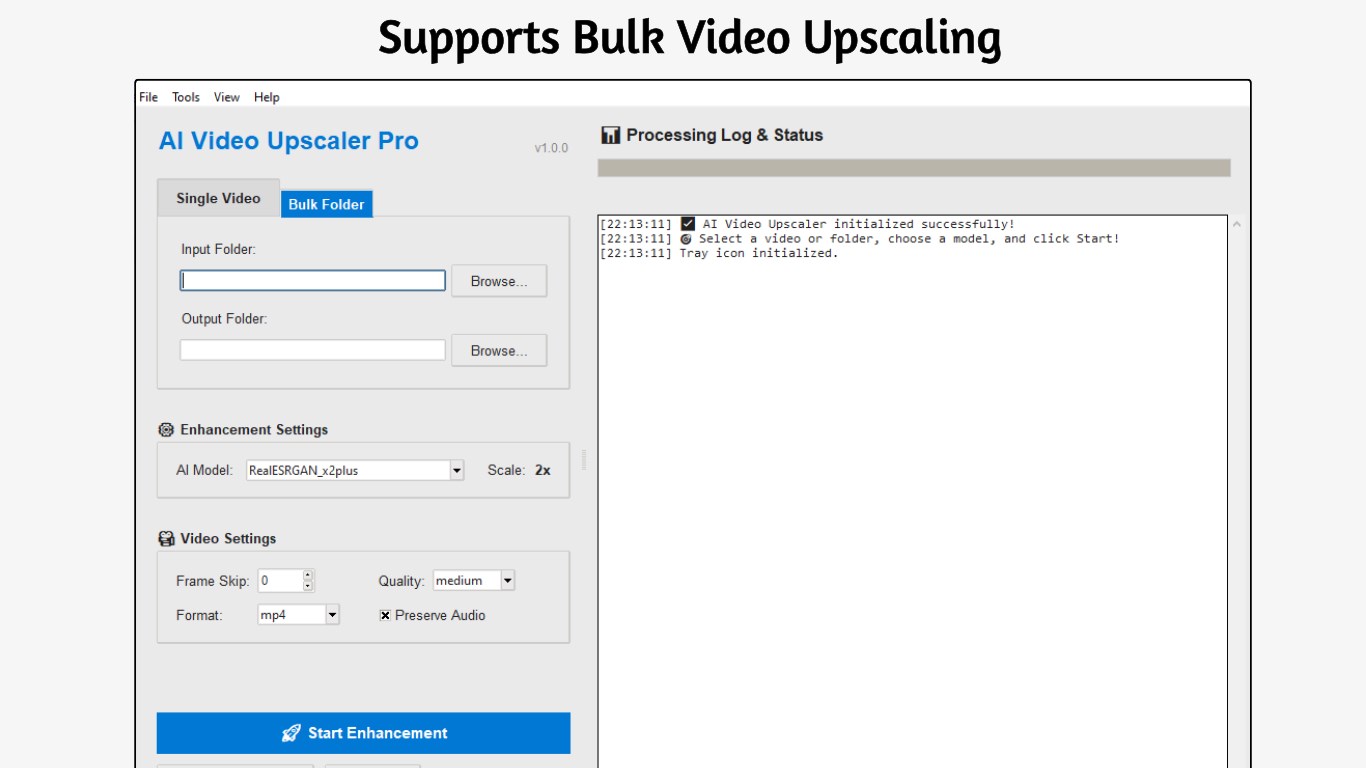
Powerful Bulk Processing
Save countless hours of manual effort by queuing up and upscaling an entire folder of videos in a single, automated run.
Preserves Original Audio
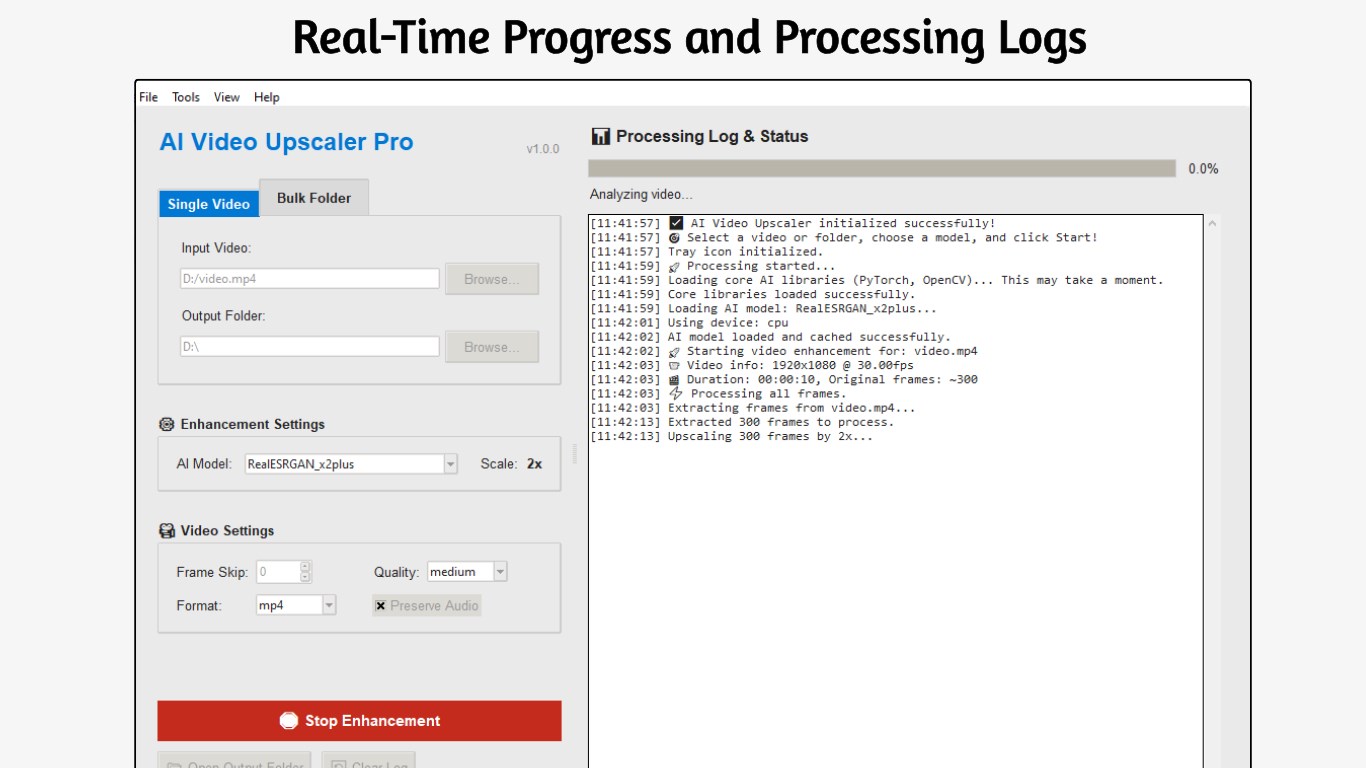
Your video’s original sound is critical. We automatically copy the source audio track to the final output, perfectly synchronized.
GPU Acceleration
Leverage NVIDIA CUDA-enabled GPUs for significantly faster processing. CPU fallback available for systems without compatible graphics cards.
Custom Model Support
Import your own Real-ESRGAN .onnx models via the built-in Model Manager for specialized upscaling tasks and maximum flexibility.
100% Offline & Private
All processing happens locally on your computer. Your videos are never uploaded to any server, ensuring complete privacy and data security.
How It Works
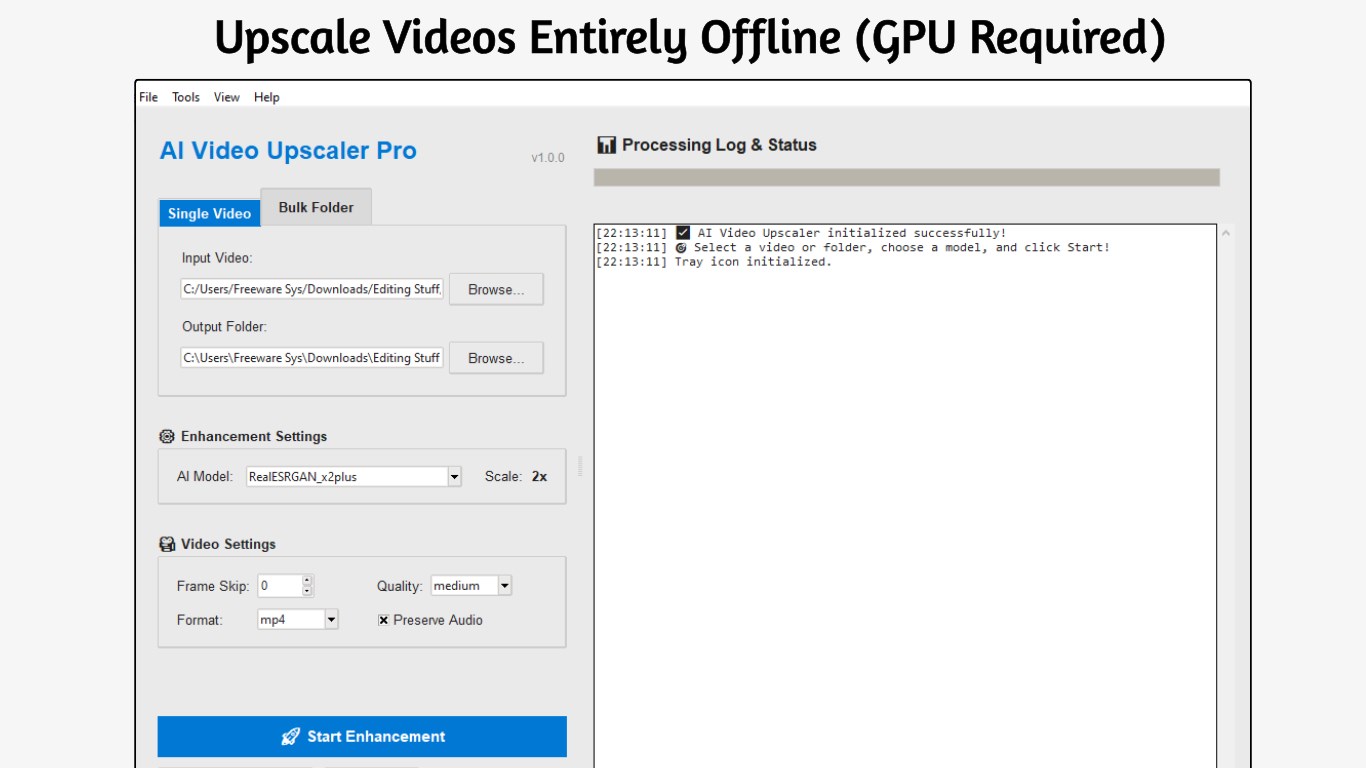
- Load Your Video: Import any video file (MP4, AVI, MKV, MOV, and more).
- Choose Upscale Factor: Select 2x or 4x resolution increase based on your needs.
- Select AI Model: Pick from bundled models or import your own custom Real-ESRGAN model.
- Start Processing: Click upscale and watch the AI enhance your video frame by frame.
- Export: Save your enhanced video with preserved original audio.
Perfect for a Wide Range of Video
- Content Creators: Remaster old footage from previous channels or archives for use in new, high-quality productions.
- Film Enthusiasts: Archive and restore classic clips, old TV recordings, or DVD footage to modern HD/4K standards.
- Family Archivists: Enhance old home videos from camcorders or early digital cameras, preserving precious memories.
- Professionals: Improve the quality of low-resolution stock footage or client-provided clips for professional projects.
- Gamers: Upscale recorded gameplay from older games to share in crisp, modern quality.
System Requirements
Minimum:
- Windows 10 version 1903 or higher
- 4 GB RAM (8 GB recommended)
- DirectX 11 compatible GPU
- 500 MB available disk space
Recommended:
- Windows 11
- 16 GB RAM or more
- NVIDIA GPU with CUDA support
- SSD for faster processing
Screenshots
Frequently Asked Questions
What video formats are supported?
AI Video Upscaler Pro supports all major video formats including MP4, AVI, MKV, MOV, WMV, FLV, and WebM. The output is typically saved as MP4 with H.264 or H.265 encoding.
Does it work offline?
Yes! The app works 100% offline. All AI processing happens locally on your computer using bundled models. Your videos are never uploaded to any server, ensuring complete privacy.
How long does upscaling take?
Processing time depends on video length, resolution, and your hardware. With a modern NVIDIA GPU, expect roughly 1-5 minutes per minute of video. CPU processing is slower but still effective.
Will it preserve my audio?
Yes! The original audio track is automatically copied to the upscaled video, perfectly synchronized. No audio quality is lost in the process.
Do I need a powerful GPU?
An NVIDIA GPU with CUDA support is recommended for faster processing, but not required. The app can run on CPU if you don’t have a compatible GPU—just expect longer processing times.
Can I import custom AI models?
Yes! The Pro version includes a Model Manager that lets you import your own Real-ESRGAN .onnx models for specialized upscaling tasks or new model releases.
What’s the difference between 2x and 4x upscaling?
2x doubles the resolution (e.g., 720p → 1440p), while 4x quadruples it (e.g., 480p → 1920p). 4x provides more detail but takes longer to process. Choose based on your source quality and target resolution.
Is this a free download with Premium upgrades or subscription?
It’s a free download with Premium upgrades! Pay once and own the app forever, including all future updates. No recurring fees or subscriptions.
See Your Videos in a Whole New Light
Stop settling for blurry footage. Download AI Video Upscaler Pro today and unlock the true potential of your videos!
Buy AI Video Upscaler Pro – FREE