
AI Auto Captions Pro
Generate perfectly synced subtitles locally on your Mac with Whisper AI, then export polished captions for every platform.
Mac App • Local AI • Free with Pro Membership
Create Local AI Subtitles
Start with free single-video caption generation, transcript editing, and SRT, VTT, and TXT exports.
Captions Without Cloud Uploads
AI Auto Captions Pro uses local Whisper models to turn speech into accurately timed subtitles directly on your Mac. Your source videos, transcripts, and rendered exports stay on your computer.
Use standard SRT, VTT, and TXT files for publishing workflows, or create styled, animated captions burned directly into an MP4 for TikTok, Reels, Shorts, and other video platforms.
From Video to Finished Captions
- Import a video: Choose a local video file on your Mac.
- Transcribe locally: Let Whisper generate a synchronized transcript.
- Edit and style: Correct words, position captions, and apply visual effects.
- Export: Save subtitle files or render a captioned MP4.
Core Features
Local Whisper AI
Generate accurate subtitles offline with Tiny, Base, Small, Medium, and Large model options.
Flexible Subtitle Export
Export SRT, VTT, TXT, and styled ASS subtitle files for your editing and publishing workflow.
Editable Transcripts
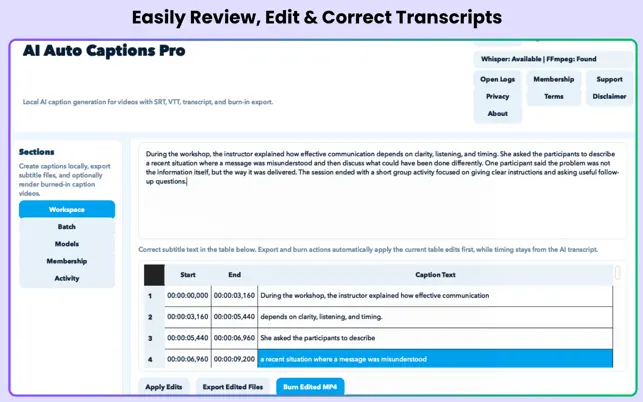
Correct spelling, adjust text, and refine subtitle timing before exporting.
Styles and Animations
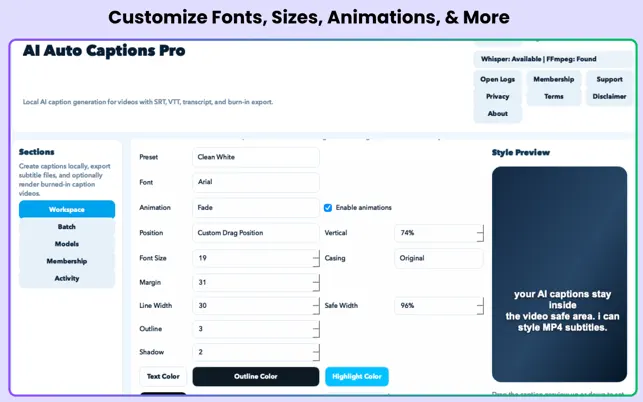
Use presets or customize fonts, colors, shadows, positioning, and dynamic caption effects.
MP4 Burn-In
Render styled, animated captions directly into a new MP4 while keeping the original audio.
Custom Model Storage
Choose external folders for downloaded AI models to save space on your internal drive.
Free and Pro Features
Included Free
- Single-video caption generation
- SRT, VTT, and TXT exports
- Editable transcript and corrected subtitles
- Tiny and Base Whisper models
- Basic caption positioning and style preview
Pro Membership
- Batch processing for multiple videos
- Styled captions burned into MP4
- Pop, Bounce, Slide, Glow, Karaoke, and Highlight effects
- Small, Medium, and Large Whisper models
- Custom storage folders for AI models
App Screenshots
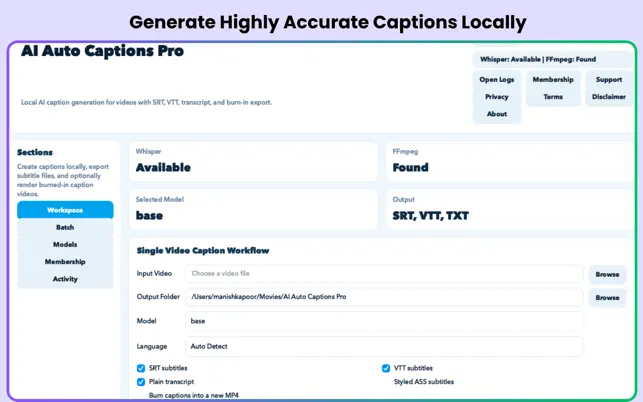
Local captioning workspace
Transcript editing
Caption style controls
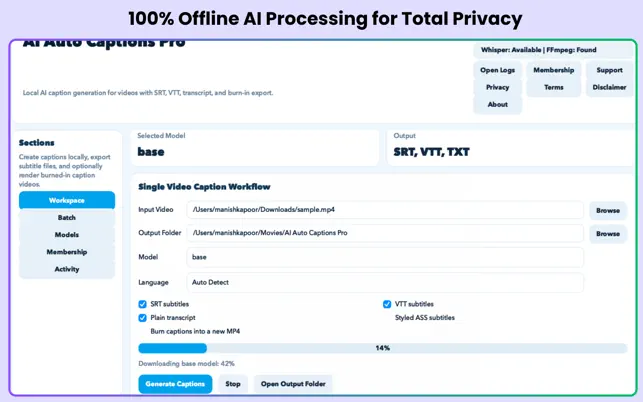
Subtitle and video export
Made for Video Creators
- Short-form creators: Make TikTok, Reels, and Shorts easier to follow.
- Editors: Export clean subtitle files or burn captions into finished MP4s.
- Marketers: Produce branded captions without cloud processing or API fees.
- Privacy-conscious teams: Keep footage and transcripts on the local Mac.
Frequently Asked Questions
Does the app upload my videos?
No. The app is designed for local processing, so your videos and transcripts stay on your Mac.
What can I export for free?
The free tier includes SRT, VTT, and plain-text TXT exports, plus an editable transcript workflow.
Can I burn captions into an MP4?
Yes. Styled, animated MP4 burn-in is included with Pro Membership.
Which Macs are supported?
The listing requires macOS 12.0 or later and a Mac with an Apple M1 chip or later.
Make Every Video Easier to Follow
Create accurate, private, and polished subtitles directly on your Mac.