
AI File Organizer Pro
Scan, understand, and organize Mac folders with fast duplicate detection, safe previews, custom rules, and privacy-first AI naming.
Mac App • Local File Insights • Free with Pro Membership
Take Back Control of Your Files
Scan folders, find exact duplicates, inspect file insights, and preview a cleaner structure before making changes.
A Clearer Mac File System
AI File Organizer Pro helps you understand what is using space and how your folders could be cleaned up. Multithreaded scanning, file insights, exact duplicate detection, and an organization preview give you visibility before any action is taken.
The free tier supports scans of up to 5,000 files. Pro unlocks larger scans, duplicate cleanup, batch organization, custom routing rules, and privacy-first AI folder naming.
A Safer Organization Workflow
- Choose a folder: Scan a local folder or external drive.
- Review insights: See file types, sizes, dates, and exact duplicates.
- Preview changes: Check how files would be routed before moving anything.
- Organize with control: Apply selected cleanup actions, rules, or AI suggestions.
Core Features
Lightning-Fast Scanning
Analyze folders of any size with multithreaded scanning and clear file insights.
Exact Duplicate Detection
Find duplicate files hidden across folders before they waste valuable storage.
File Insights
Understand file categories, sizes, and modification dates at a glance.
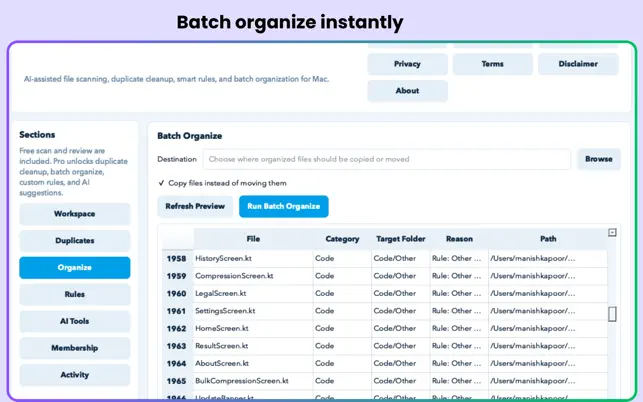
Organize Preview
Review the proposed organization before moving a single file.
Transparent Activity Log
Keep track of scans, organization actions, and cleanup activity.
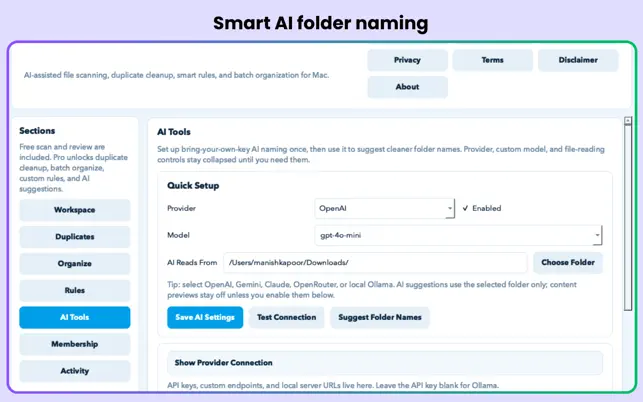
Smart AI Naming
Use local Ollama or your own OpenAI, Gemini, or Claude key for contextual folder names.
Free and Pro Features
Included Free
- Up to 5,000 files per scan
- File type, size, and date insights
- Exact duplicate detection
- Organization preview
- Transparent activity log
Pro Membership
- Unlimited scanning for large folders and drives
- Send selected duplicates to macOS Trash
- Batch copy or move files into subfolders
- Custom routing rules
- BYOK or local AI folder naming
- Metadata-only or fully local AI controls
App Screenshots
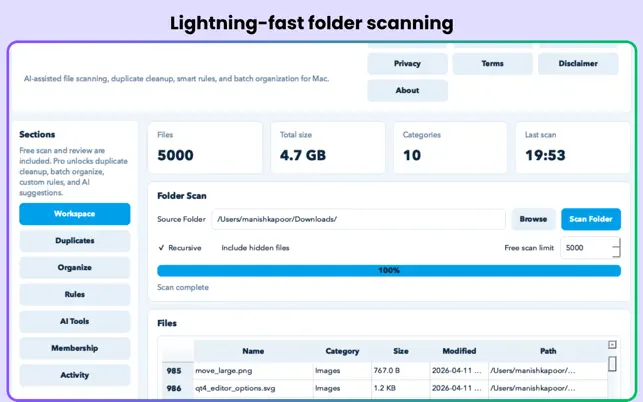
Folder scanning workspace
Duplicate file results
Organization preview
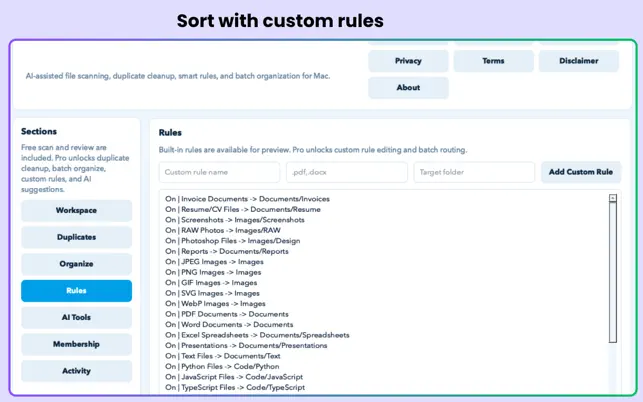
Custom organization rules
Made for Organized Workflows
- Cluttered Downloads: Sort documents, images, installers, and old files.
- External drives: Inspect large folders before making bulk changes.
- Project teams: Create repeatable custom routing rules.
- Privacy-conscious users: Keep file processing local or send only approved metadata.
Frequently Asked Questions
Does the app move files automatically?
No. The app provides previews and transparent controls so you can review proposed organization before taking action.
What is included in the free tier?
The free tier includes scans of up to 5,000 files, file insights, duplicate detection, organization preview, and activity logging.
Can I clean duplicates safely?
Pro lets you send selected duplicate files to the macOS Trash rather than permanently deleting them.
Can AI naming stay completely local?
Yes. Use local Ollama processing, or restrict a third-party API payload to metadata only.
Build a Calmer Mac Workspace
Understand your files, remove clutter safely, and create an organization system that lasts.